Home / spare_parts
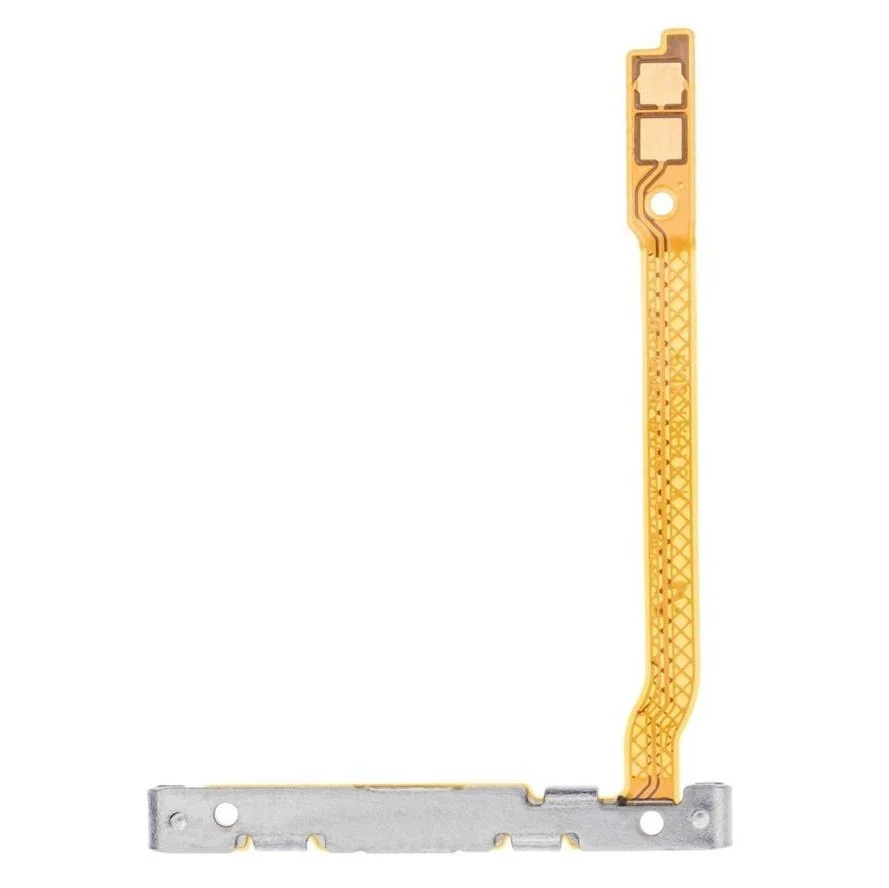
Power On Off Button Flex Cable for Samsung Galaxy J6 Plus
₹689
₹279 (Inclusive of all taxes)
In Stock — ships within 24 hrs
Special Offers
Get Flat 10% OFF!
For all orders
SAHII10
Get Flat 15% OFF!
Min. value: ₹1500
SAHII15
Get Flat 20% OFF!
Min. value: ₹2500
SAHII20
100% Money Back Guarantee if product not delivered
Dispatched & Shipped within 24 hrs
Product Description
Is the power button on your Samsung Galaxy J6 Plus completely unresponsive — not waking the screen, not powering the device on or off, and not registering any press — despite the physical button cap being intact? The Power On Off Button Flex Cable for Samsung Galaxy J6 Plus is the internal ribbon cable carrying the power button switch signal to the motherboard — and a damaged one causes total power button failure independently of the button cap or motherboard.
- Designed and tested specifically for Samsung Galaxy J6 Plus — correct switch integration, connector type, and cable routing
- Restores power on and power off button press detection and signal delivery on Samsung Galaxy J6 Plus
- Fixes completely unresponsive power button, failed screen wake, and device power failure
- High-quality flex with integrated switch dome tested for continuity and response before dispatch
- Suitable for professional repair technicians
- No soldering required in most cases
Restore complete power button control on your Samsung Galaxy J6 Plus. Order the Power On Off Button Flex Cable from SAHII.in — genuine quality, wholesale price, free delivery pan-India.
Product Specifications
| Compatible Brand | Samsung |
| Compatible Model | Galaxy J6 Plus |
| Color | |
| Product Type | Power On Off Button Flex Cable |
| Condition | New |
| Packing | Loose Packing |
| In The Box | 1 Unit of Power On Off Button Flex Cable for Samsung Galaxy J6 Plus |
| Country Of Origin | China |
| Sold By | SAHII.in, New Delhi |
Shipment & Replacement
- Item received is physically damaged.
- Item received has missing parts or accessories.
Order within
15:00
for Today's Dispatch
Estimated Delivery: 2-5 Days



_1.webp)