Home / spare_parts
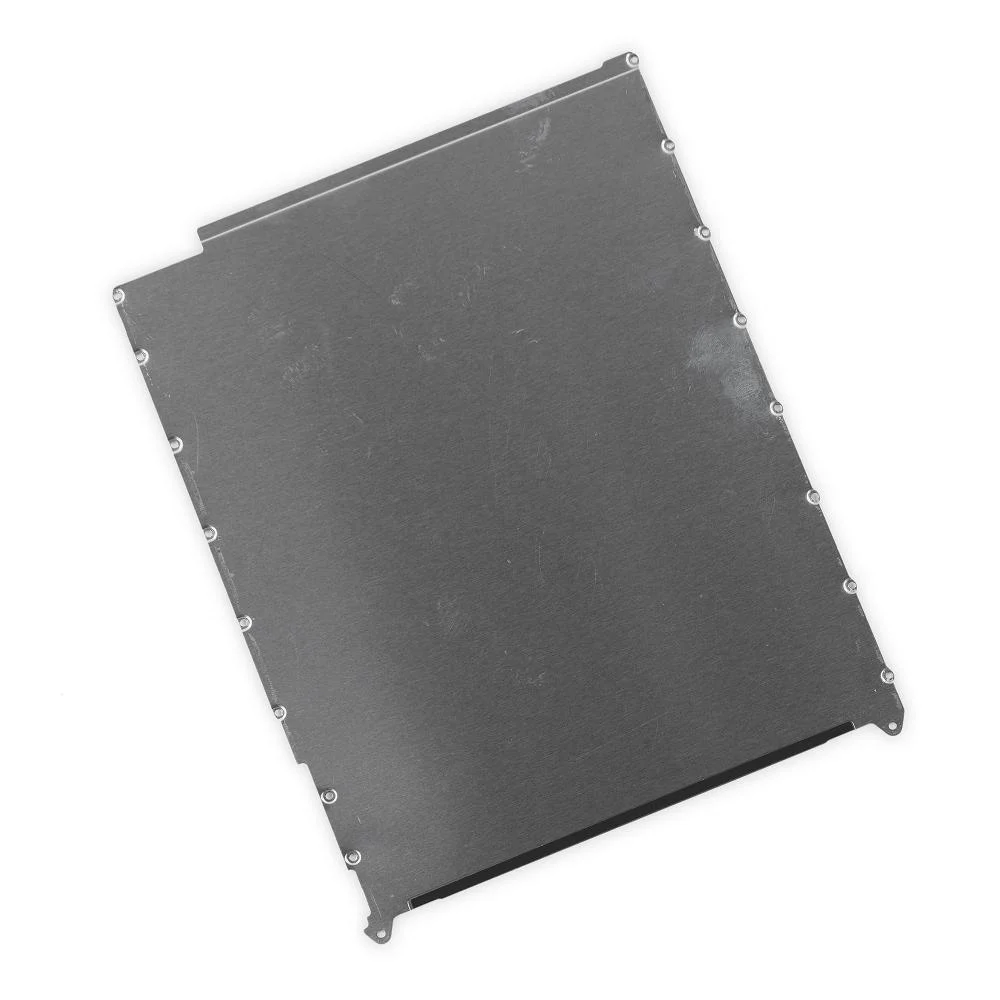
LCD Shield Frame for Apple iPad mini Wi-Fi
₹1869
₹369 (Inclusive of all taxes)
In Stock — ships within 24 hrs
Special Offers
Get Flat 10% OFF!
For all orders
SAHII10
Get Flat 15% OFF!
Min. value: ₹1500
SAHII15
Get Flat 20% OFF!
Min. value: ₹2500
SAHII20
100% Money Back Guarantee if product not delivered
Dispatched & Shipped within 24 hrs
Product Description
Is the metal bezel surrounding the display panel on your Apple Ipad Mini Wi-Fi bent, cracked, or missing after a drop or repair — causing the display to sit unevenly, exposing the panel edges, or failing to provide the structural support needed for a flush, secure screen installation? The LCD Shield Frame for Apple Ipad Mini Wi-Fi is the metal frame that surrounds and supports the LCD panel — providing structural protection, electromagnetic shielding, and precise display alignment within the chassis.
- Precision-fit LCD Shield Frame designed specifically for Apple Ipad Mini Wi-Fi
- Provides structural support and protection for the LCD panel edges on Apple Ipad Mini Wi-Fi
- Eliminates display wobble, edge exposure, and panel misalignment after repair
- Provides electromagnetic shielding to protect display signal quality
- Essential for a professional, factory-standard display installation on Apple Ipad Mini Wi-Fi
- Compatible with all original LCD panels and display assemblies for Apple Ipad Mini Wi-Fi
Install your display the professional way. Order the LCD Shield Frame for Apple Ipad Mini Wi-Fi from SAHII.in — essential structural component, wholesale price, free delivery across India.
Product Specifications
| Compatible Brand | Apple |
| Compatible Model | Ipad Mini Wi-Fi |
| Color | |
| Product Type | LCD Shield Frame |
| Condition | New |
| Packing | Secure Packaging |
| In The Box | 1 Unit of LCD Shield Frame for Apple Ipad Mini Wi-Fi |
| Country Of Origin | China |
| Sold By | SAHII.in, New Delhi |
Shipment & Replacement
- Item received is physically damaged.
- Item received has missing parts or accessories.
Order within
15:00
for Today's Dispatch
Estimated Delivery: 2-5 Days



_1.webp)