How to shutdown an IPhone X
Instructions for safely powering down an iPhone X are detailed below.
- Initial Step:Simultaneously depress and maintain pressure on the Power button until the Apple logo becomes visible on the screen.
Step 1 | How to shutdown an IPhone X
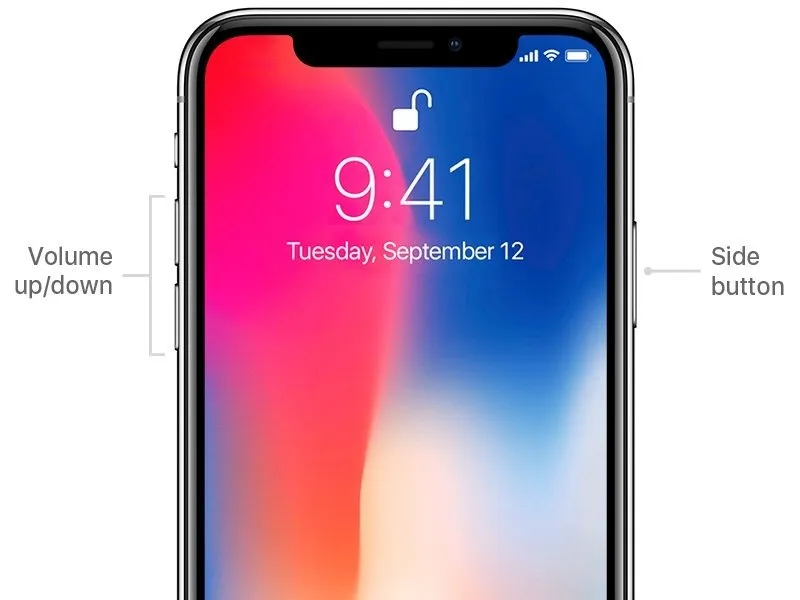

- Powering down your iPhone X involves a specific sequence.Press and maintain pressure on the side button alongside either of the volume buttons concurrently, resulting in the display of a slider.The appearance of these sliders indicates options for device shutdown, alongside those for accessing medical records and initiating emergency calls.
- Complete the shutdown process by moving the designated slider across the screen.
Step 2

As another option for powering down your iPhone X, proceed to the following menu:
- Settings
- General
Select the Shut Down option, which is located at the base of the Reset screen.
Reactivation is achieved by maintaining pressure on the side button for several seconds.