How to force iPhone 8 to reboot
Prior to commencing any repair work, it is essential to disconnect the device from all electrical power supplies.
- Necessary Tools:A Phillips head screwdriver is needed.
Consult the device's user manual for detailed information pertaining to your specific model and for supplementary safety guidelines.
Step 1 | How to force iPhone 8 to reboot

- To initiate the process, rapidly depress the volume up control for a fleeting moment.(1)
- Following this, momentarily activate the volume down control.(2)
- It is essential that both button activations occur with considerable speed.
Step 2
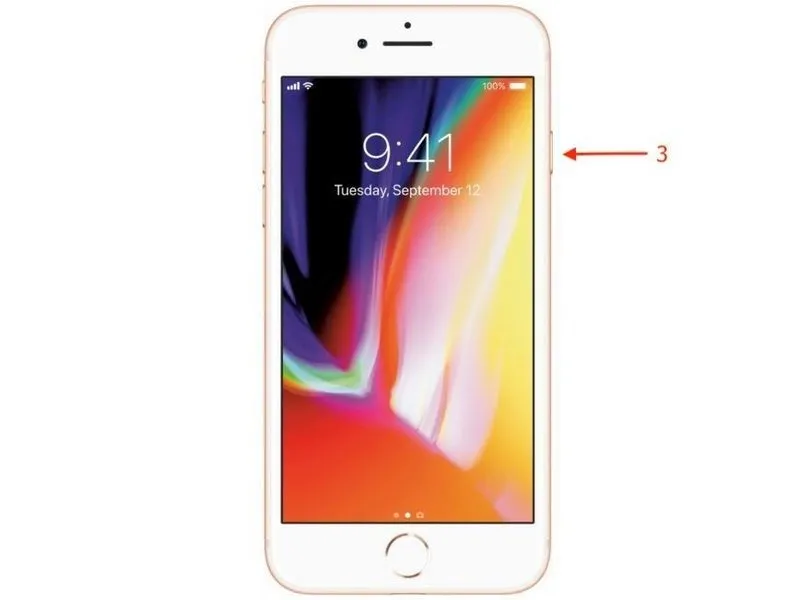
To conclude the process, maintain pressure on the lateral button until the Apple logo is visible on the screen.(3)