iPhone 5 SIM Card Replacement
Follow these instructions to extract the SIM card from your iPhone 5.
Step 1 | SIM Card
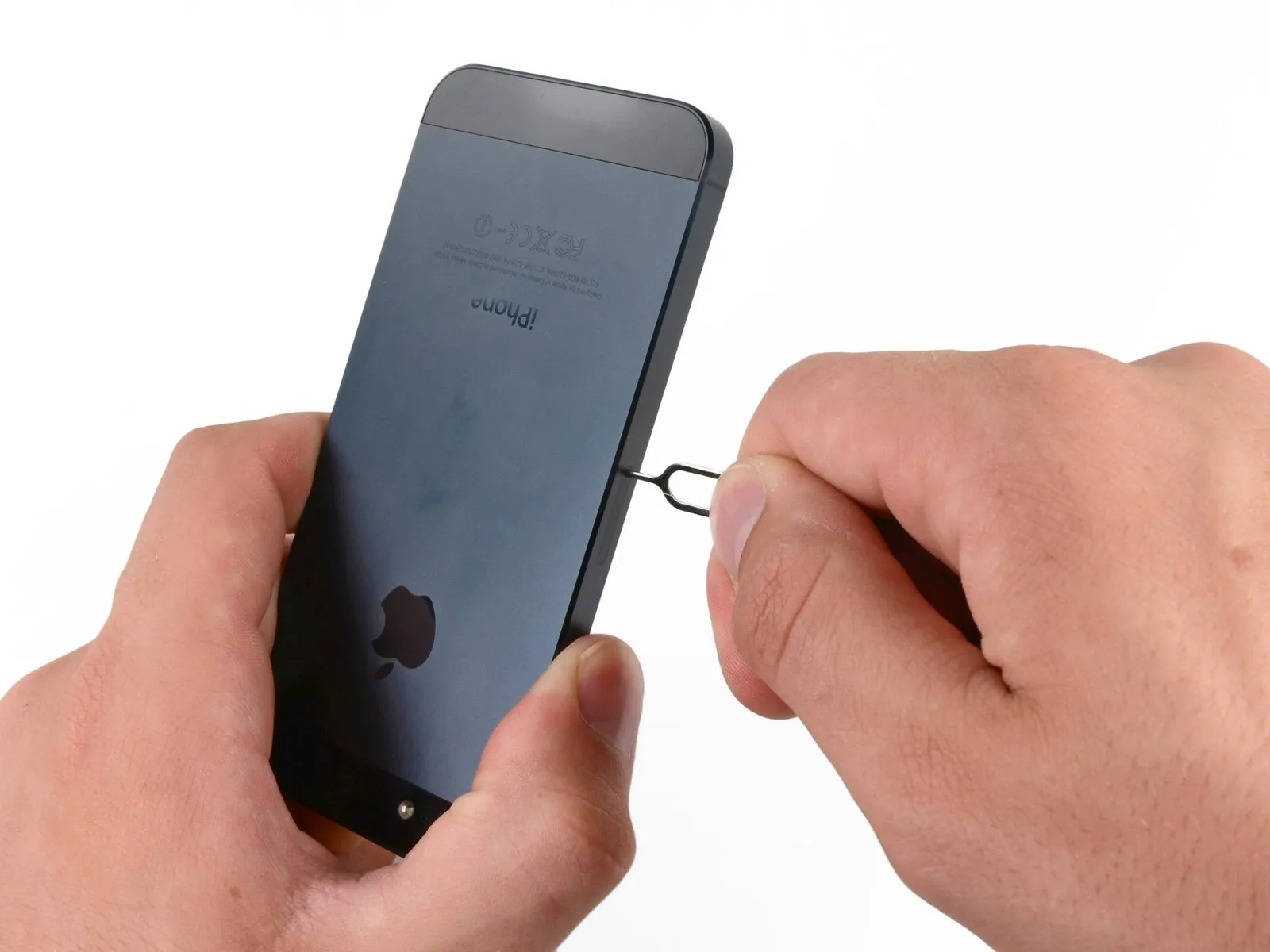
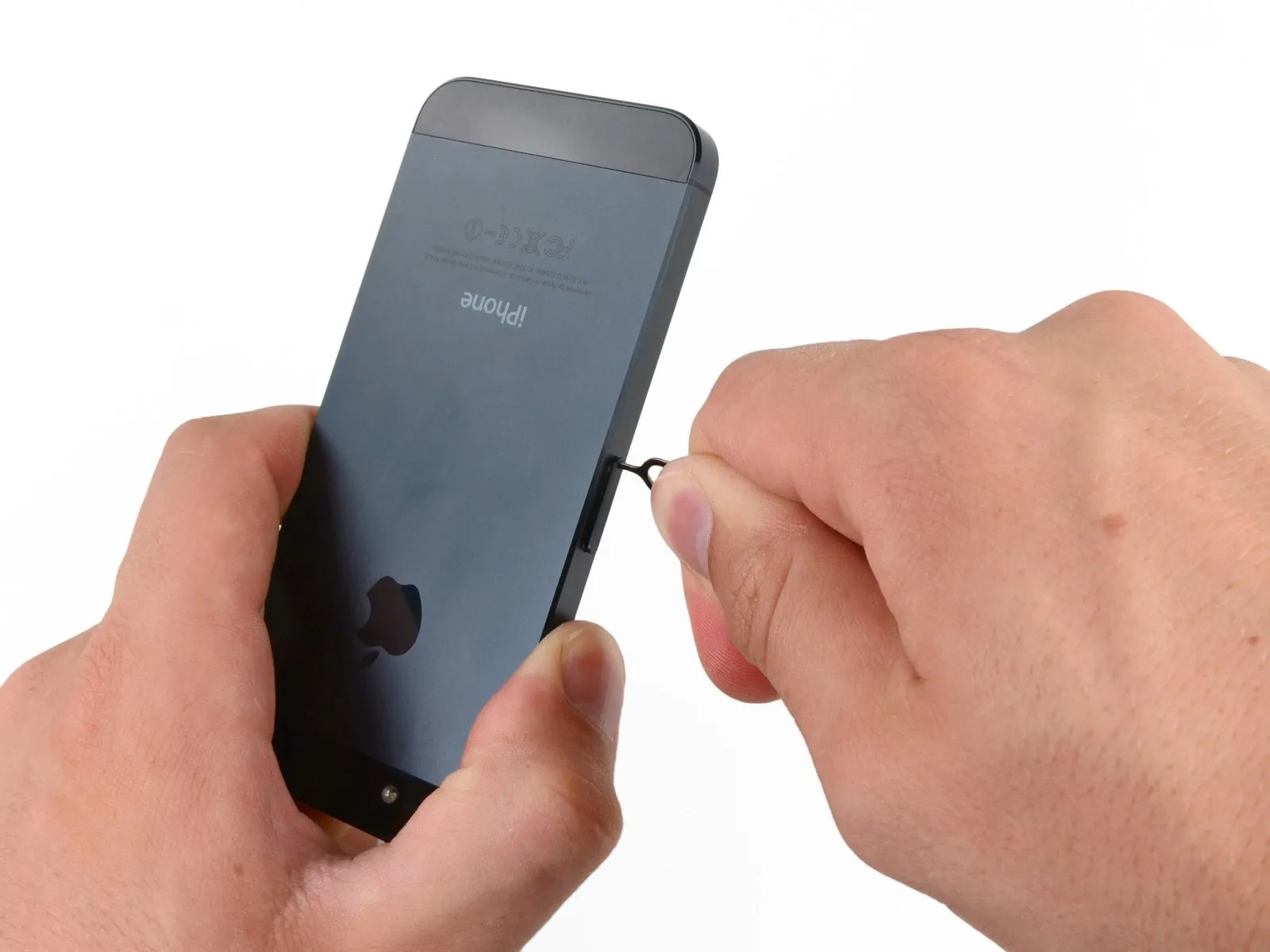
Employing a SIM card eject tool or a straightened paperclip, release the SIM card and its corresponding tray.
Step 2
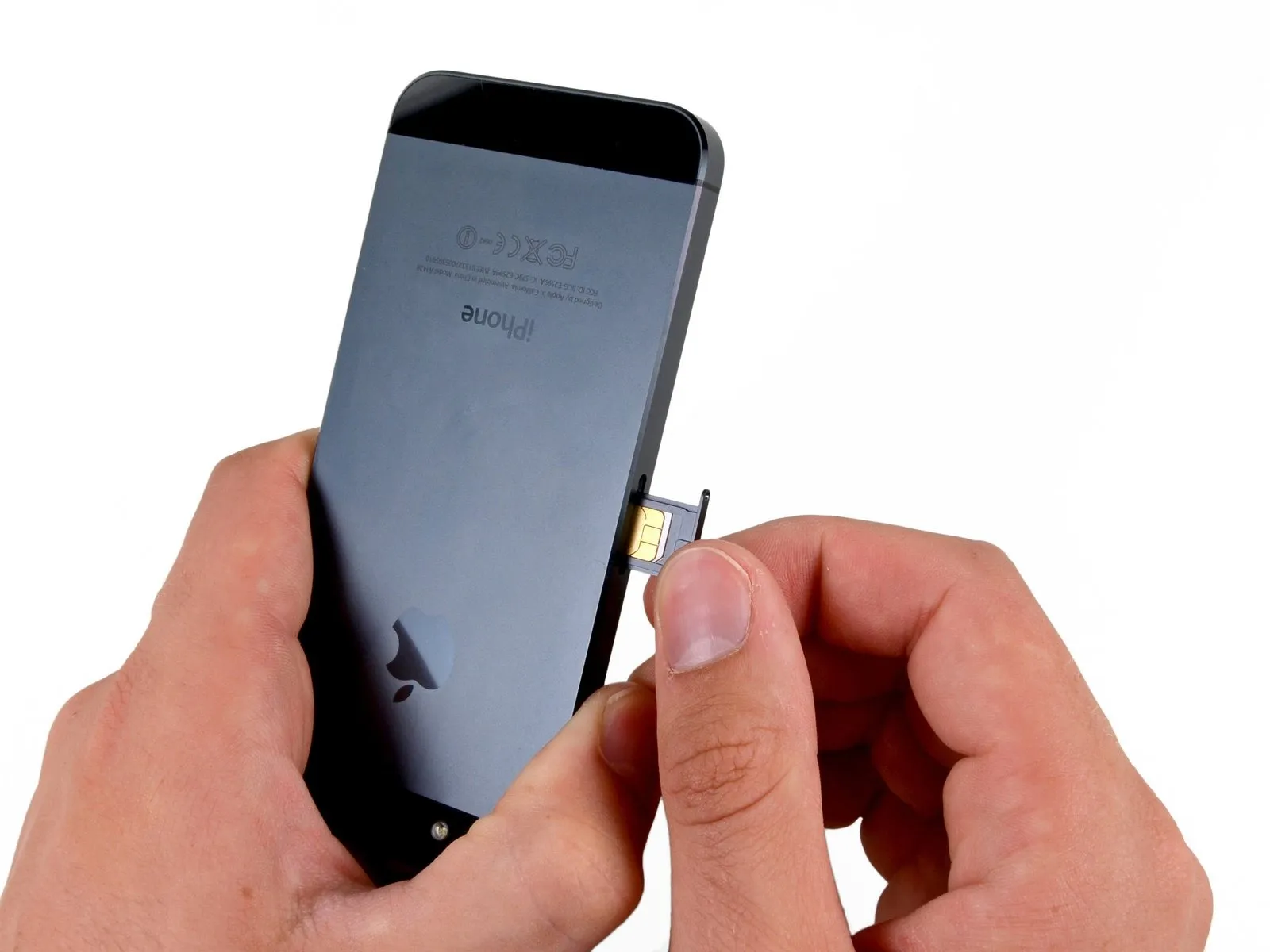
Using the SIM Eject tool or a similar small, sturdy item, carefully depress the SIM tray release button located on the device's side to release the SIM Card tray assembly and then pull the tray out.