iPhone 4S Upper Antenna Replacement
Follow these instructions to substitute the iPhone's upper antenna assembly.
Step 1 | Rear Panel

Prior to starting the repair process, ensure the iPhone is completely de-energized.
Using a Pentalobe P2 screwdriver, detach the two screws measuring 3.6 mm located adjacent to the dock connector.
To prevent damage, ensure the driver is fully engaged with the Pentalobe screws before turning, as they are susceptible to stripping.
Step 2


Expect a displacement of approximately 2 millimeters.
Step 3
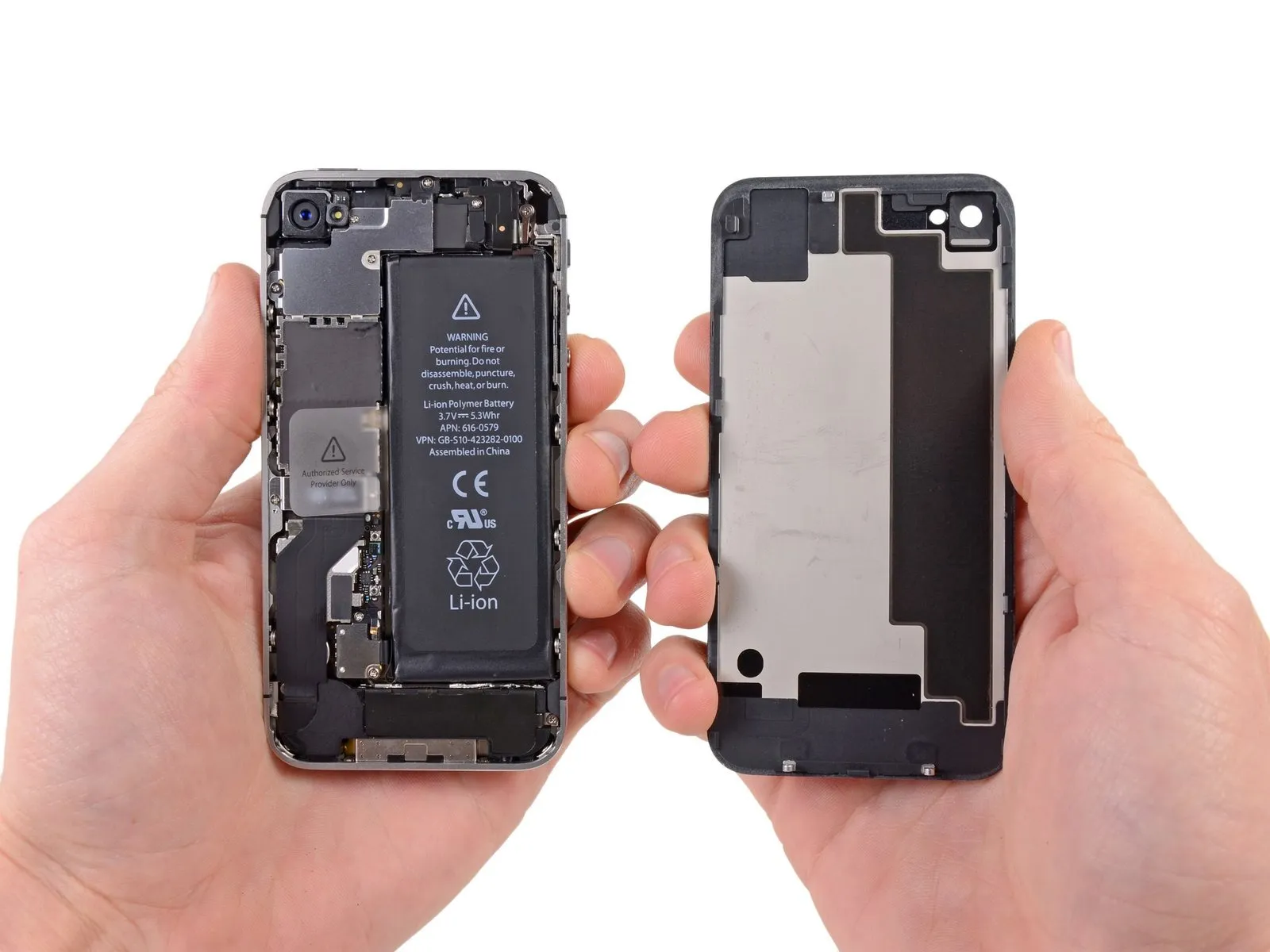
Carefully detach the iPhone's back cover.
Step 4 | Battery
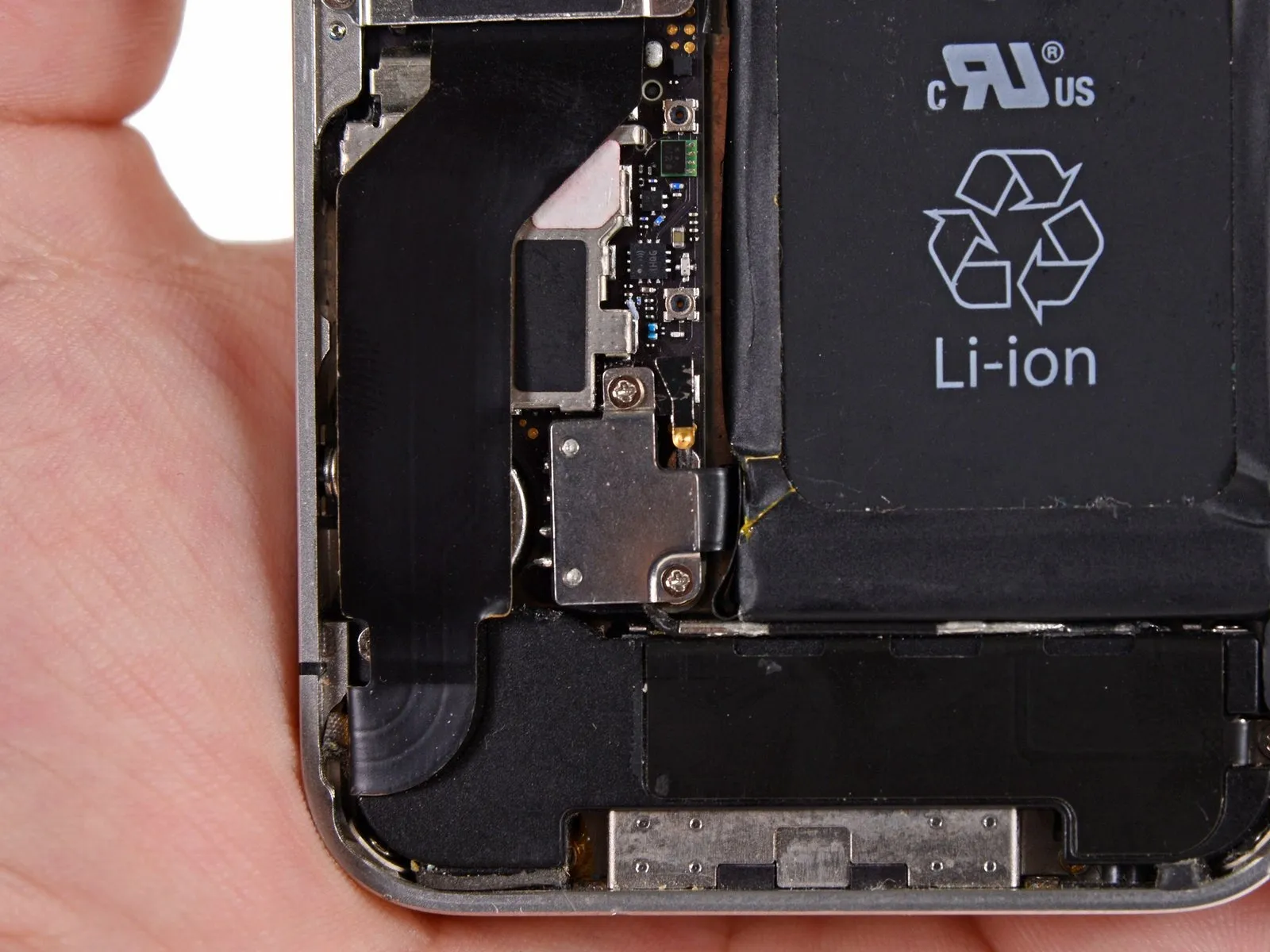
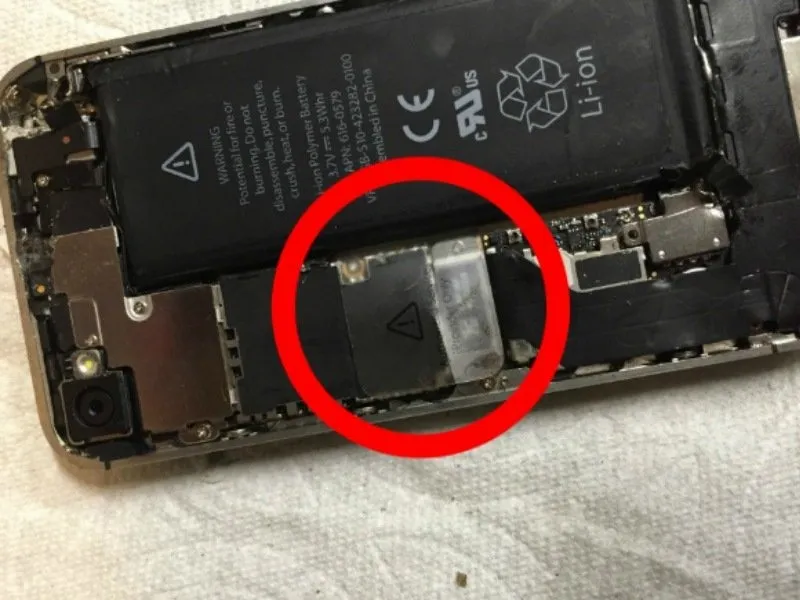
Use a PH00 Phillips screwdriver to loosen a 1.7 mm screw.
Employ a PH00 Phillips screwdriver to remove a 1.5 mm screw.
Step 5
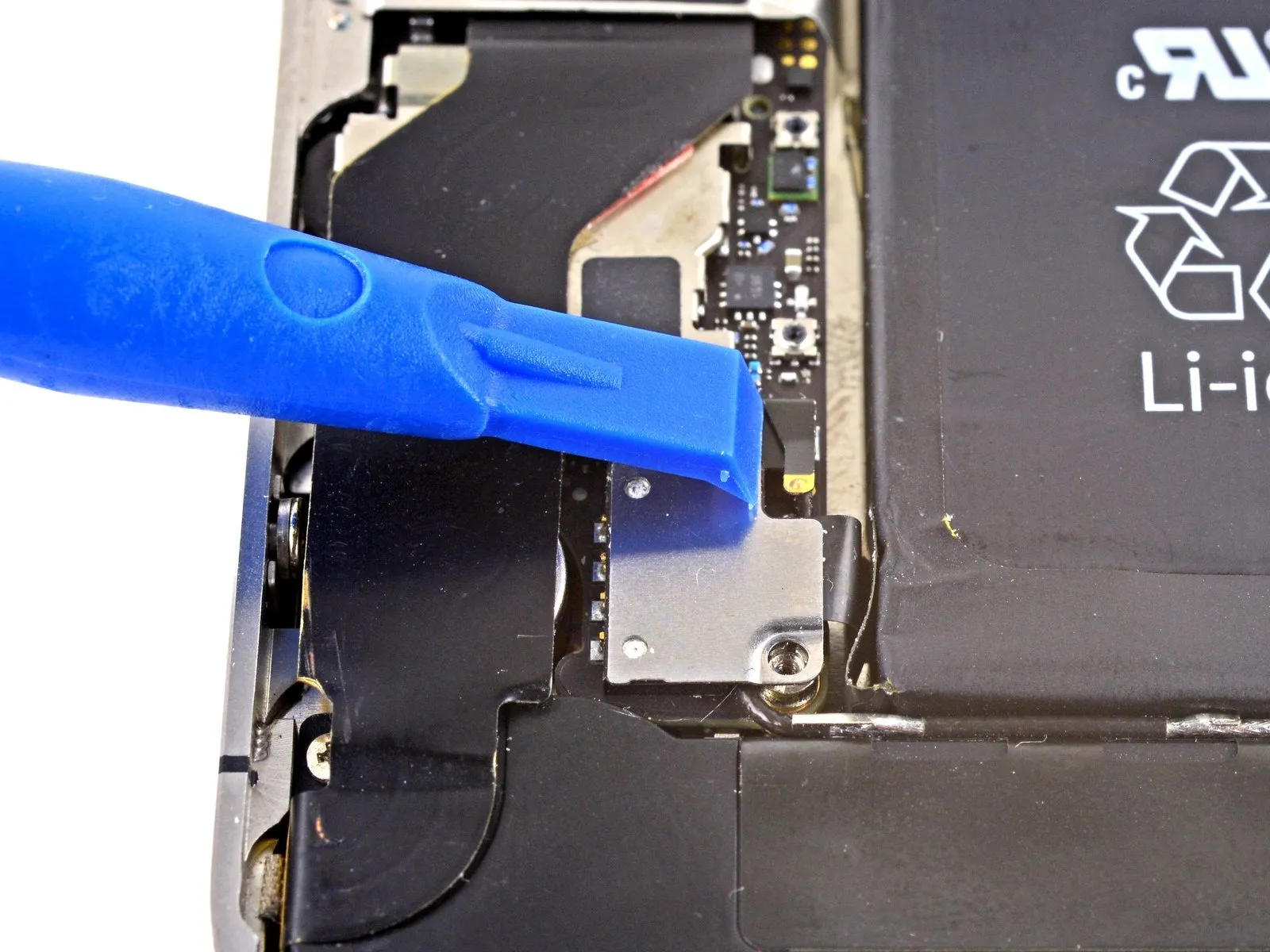
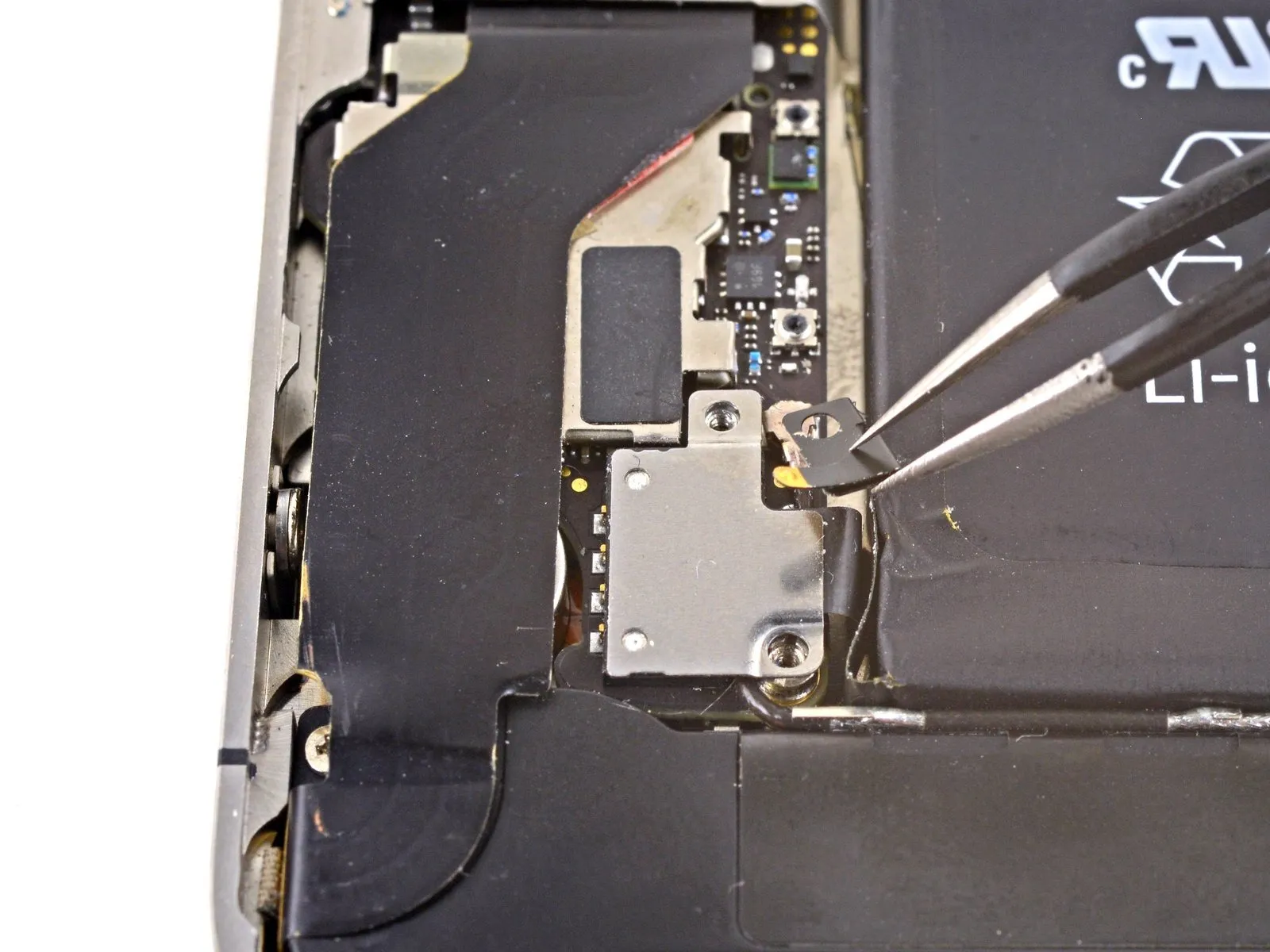
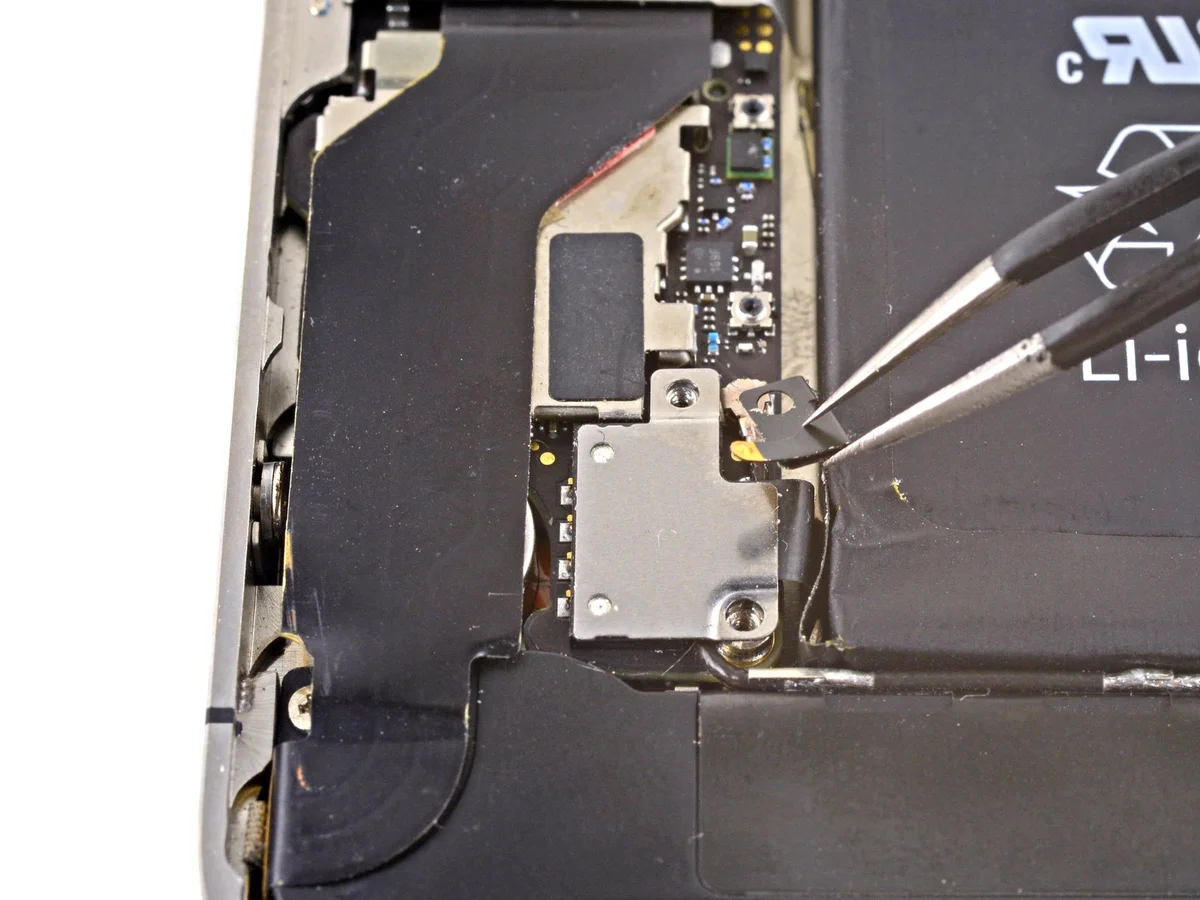
Carefully detach the pressure contact.
Step 6
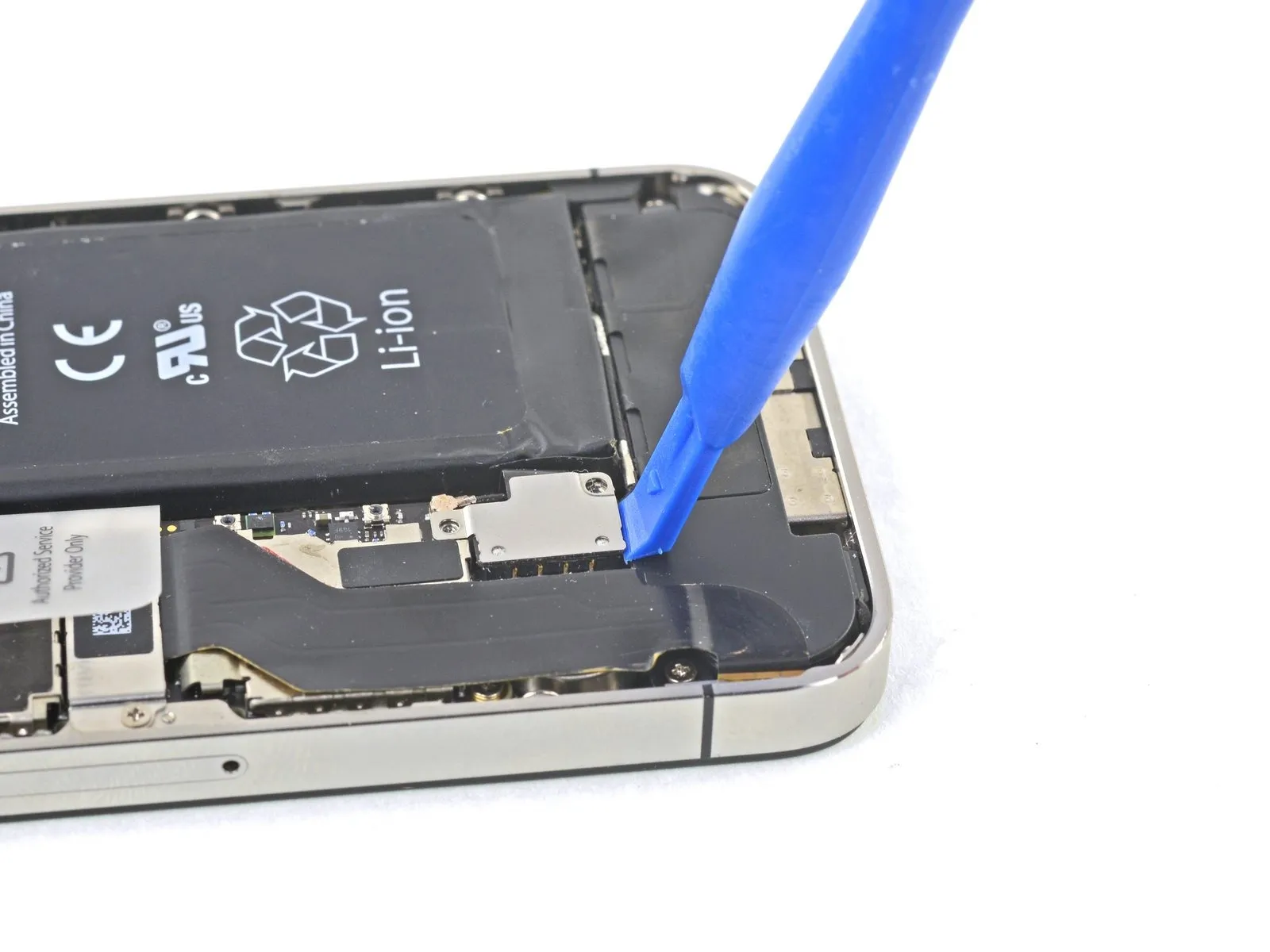
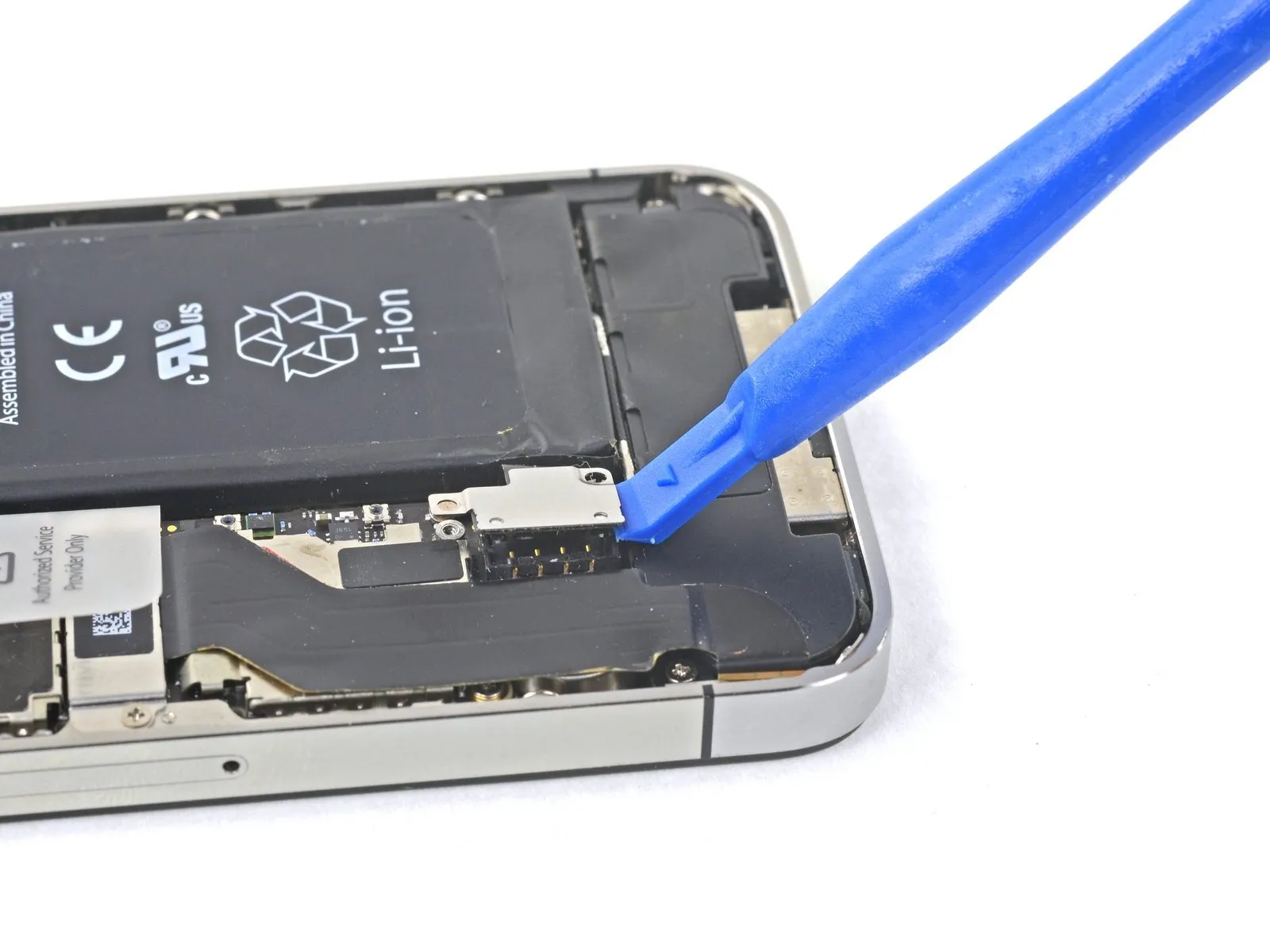
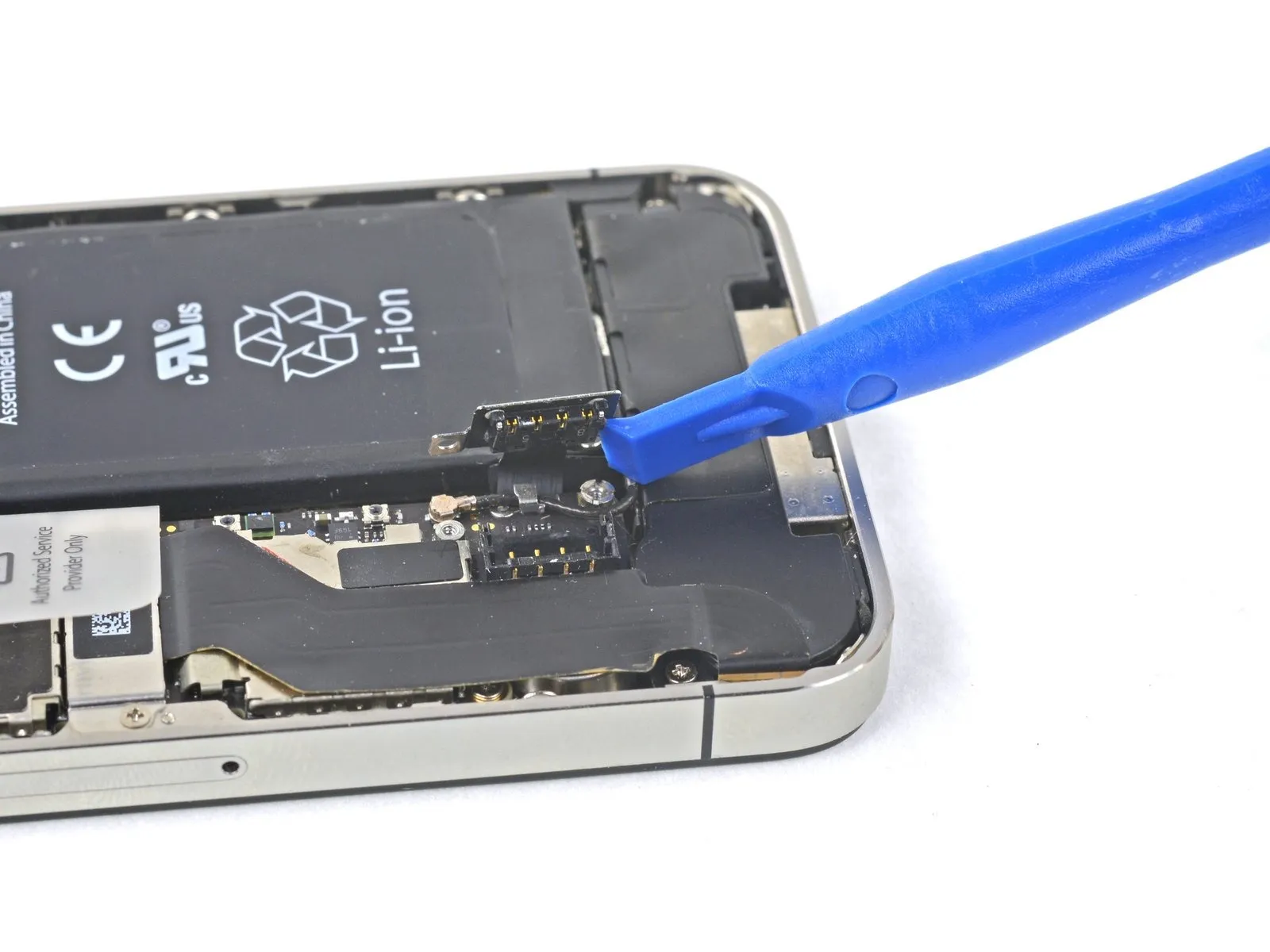
- Carefully disconnect the battery connector from its socket on the logic board by leveraging it upward with a plastic opening tool.
Using the tool, gently separate the connector's metal cover from the loudspeaker enclosure by inserting the tip between them and raising the connector's lower edge.
To detach the battery connector, move it straight up away from the logic board; avoid any lateral pressure.
Avoid applying force directly to the battery connector's housing, as this could dislodge it from the logic board due to the presence of four tiny solder joints.
Step 7 | Reassembly tip
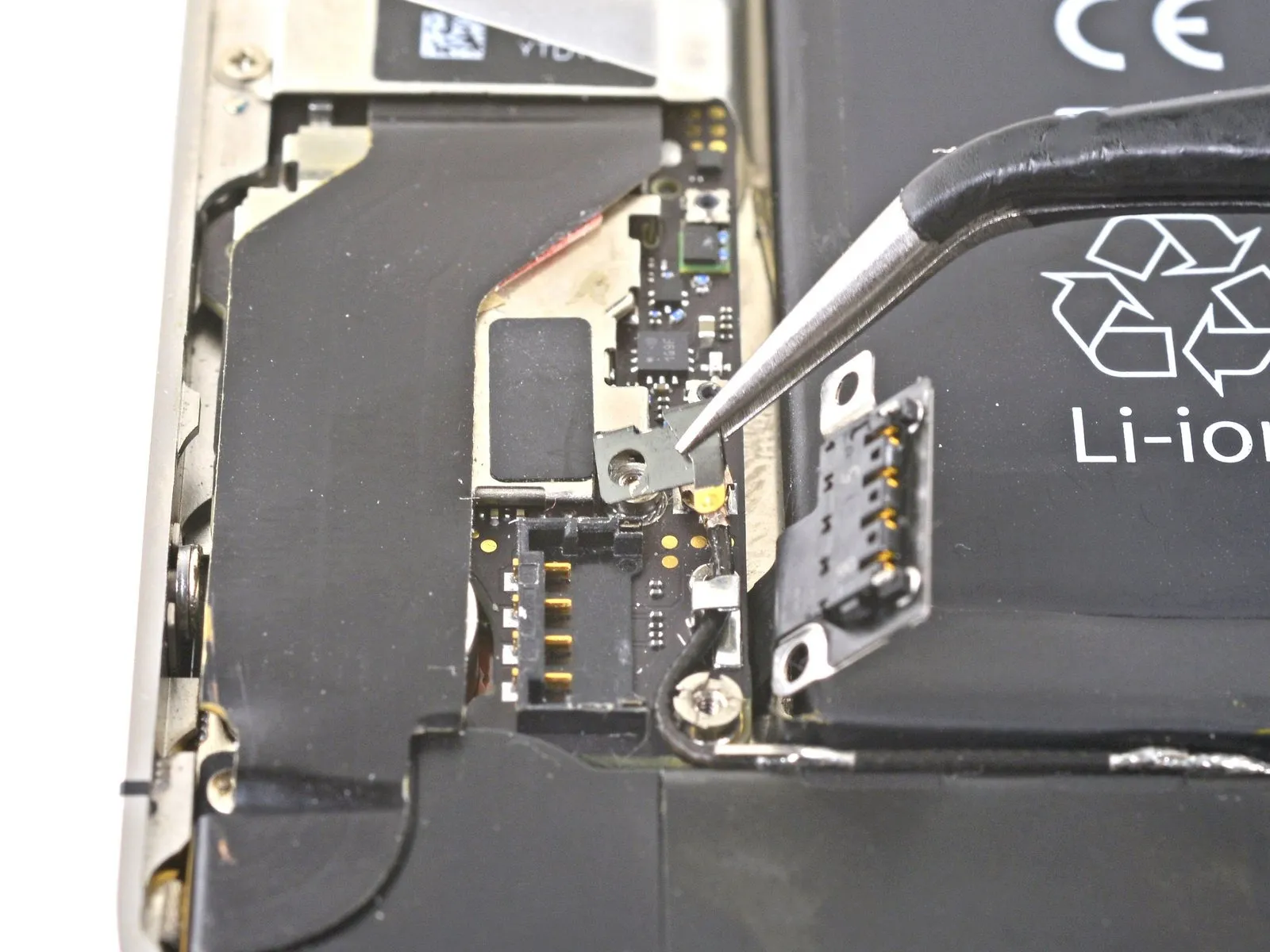
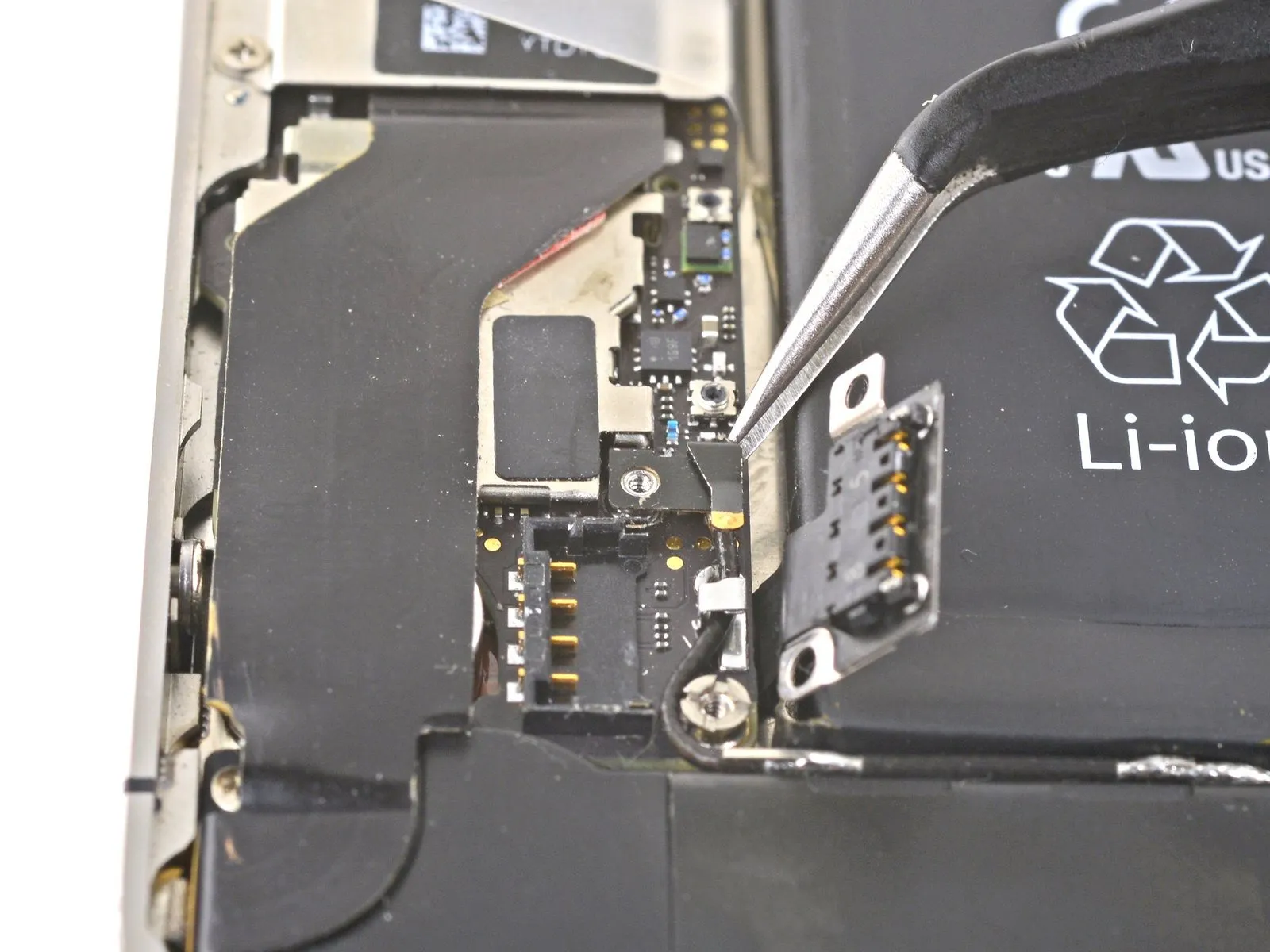
Ensure the pressure contact is correctly aligned during reassembly, placing it so it sits atop the indicated Philips screw post and the gold contact faces the battery connector.
To prevent wireless signal disruption caused by oils from handling, thoroughly wipe the pressure contact using a cleaning agent like Windex or isopropyl alcohol.
Step 8
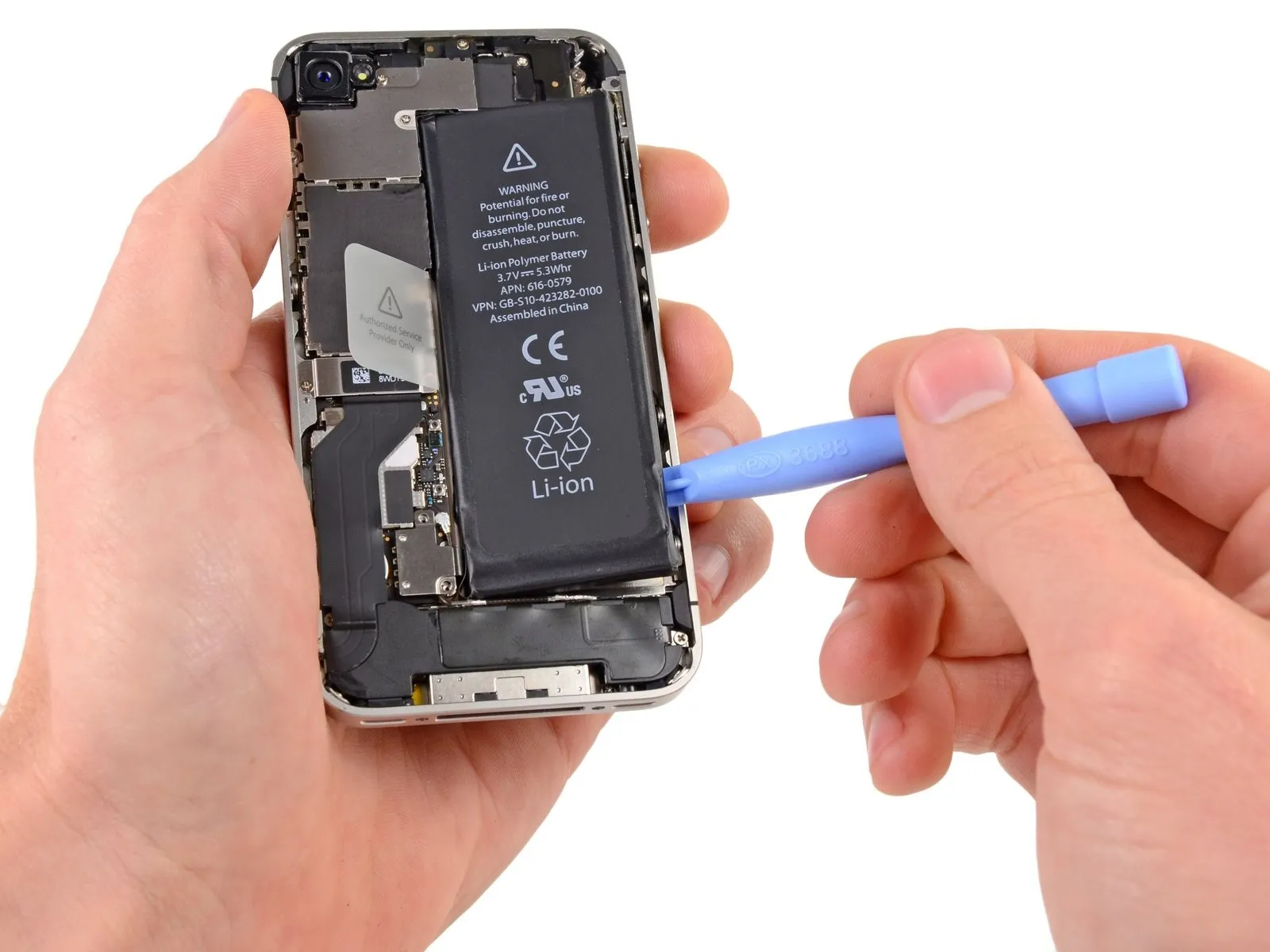
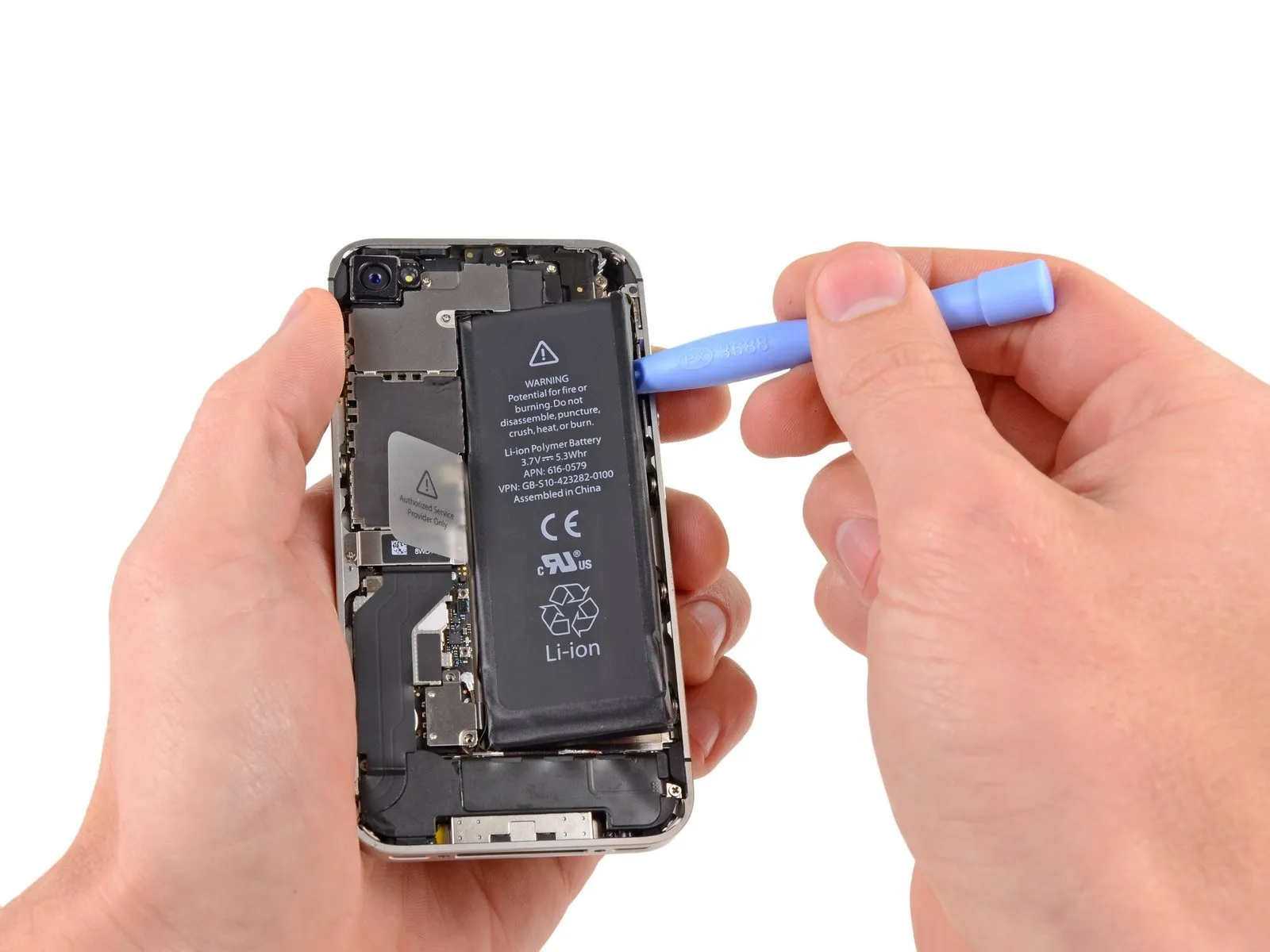
- Using a plastic opening tool, gently wedge the tip into the gap separating the battery from the iPhone's outer casing, positioning the tool close to the device's lower edge.
Using the plastic opening tool, carefully work your way along the battery's right side, lifting the battery slightly at multiple locations to release the adhesive holding it in place within the outer case, ensuring complete separation.
To loosen a stubborn battery adhesive, carefully introduce a small amount of isopropyl alcohol, with a concentration exceeding 90%, directly beneath the battery's edge.
Allow approximately 60 seconds for the isopropyl alcohol to reduce the adhesive bond.
Carefully raise the battery using the flat, plastic tip of a specialized opening tool.
To prevent damage, avoid using excessive force when removing the battery. If the battery remains stuck, add additional alcohol drops to dissolve more of the adhesive. Ensure the pry tool does not create any dents or holes in the battery during the release process.
To prevent damage, ensure any residual alcohol solution is completely removed by wiping with a clean cloth or by permitting it to evaporate fully prior to new battery installation.
Step 9


Carefully lift the battery away from its adhesive backing by grasping the visible, transparent plastic tab.
Exercise caution when drawing back the plastic tab, as excessive force may cause it to tear.
Disconnect the power source by detaching the battery.
Carefully detach the protective plastic covering from the new battery by gently separating it from the ribbon cable.
Before installing the new battery, ensure the included cable is formed into the correct contour to guarantee a secure connection.
To confirm correct positioning during battery replacement, briefly attach the battery connector to the device; after securing the battery with adhesive, detach the connector.
Following reassembly, execute a factory reset to proactively avoid potential problems and streamline any subsequent diagnostic procedures.
Step 10 | Dock Connector Cable


Using appropriate tools, detach the dock connector cable cover from the logic board by unscrewing the fasteners.
Use a Phillips screwdriver to remove a single screw measuring 1.5 millimeters.
Use a Phillips screwdriver to remove a single screw with a 1.2 mm head.
Carefully detach the metal cover protecting the dock connector cable.
Step 11

Step 12

Step 13


Carefully maneuver the cellular antenna cable, freeing it from the metal finger retainers secured to the logic board.
Step 14 | Rear Camera

Employing tweezers, a plastic opening tool, or a spudger, carefully detach the outer plastic ring.
Step 15

Employ a Phillips screwdriver, sized specifically for 2.7 mm fasteners.
Employ a Phillips screwdriver, size 2.6 mm.
Employ a Phillips head screwdriver, sized at 1.3 millimeters.
Employ a Phillips screwdriver, sized 1.2 millimeters.
Step 16


Carefully detach the cable cover by gently prying upwards from the side closest to the uppermost edge, then separate it from the iPhone.
Step 17


Exercise caution to avoid damaging adjacent parts while lifting.
Carefully detach the rear camera assembly from the iPhone.
Before reassembling, verify the tiny rubber gasket positioned beneath the rear camera is correctly aligned.
Step 18 | SIM Card


Applying considerable pressure might be necessary.
Using the SIM removal tool or a straightened paperclip, carefully extract the SIM card and its corresponding tray.
Step 19 | Logic Board


- The cable connecting the headphone jack and volume button assembly.
- The cable connecting the front-facing camera must be handled with care.
- The flexible ribbon cable connecting the display's touch sensor to the mainboard is the digitizer cable.
- Connect the display data cable.
- Refer to the second image to identify the power button cable; it's situated directly below the headphone jack/volume button cable.
Carefully leverage the connectors of the cables free from the logic board's sockets by gently prying upwards with a plastic opening tool.
Exercise caution to avoid damaging the tiny, sensitive surface mount components while disconnecting the cables.
Step 20

Step 21


Using a firm grip, detach the grounding clip from the iPhone.
To prevent grounding problems, thoroughly clean all metal surfaces where the grounding clip makes contact—excluding the connector halves—using a degreaser like Windex or isopropyl alcohol; this removes oils transferred from handling.
Step 22

To detach standoff screws, utilize a standoff screwdriver or a compatible bit.
If a dedicated tool isn't available, a small flathead screwdriver can be carefully substituted; however, exercise heightened awareness to prevent slippage and potential harm to nearby parts.
Step 23

Step 24


Using a Phillips screwdriver, detach the logic board by unscrewing the 2.6 mm screw located close to the power button.
Exercise care while disengaging the screw, as it secures the power contact, which is prone to separation during removal.
During disassembly, be aware that a tiny rubber bumper is located beneath the screen and digitizer cables, specifically where they are disconnected above the Q-code; this component may detach from the logic board during removal or become adhered to the cables and subsequently fall off.
Step 25

A Phillips head screwdriver, size 2.5 mm, is needed to remove the screw located close to the vibrator motor.
A Phillips screwdriver is needed to remove a single screw with a 2.4-millimeter head.
Locate a 3.6 mm standoff positioned on the logic board's edge, closest to where the battery is situated.
Employ a standoff driver bit, attached to a driver handle, to unscrew and detach the 3.6 mm standoff screw.
If a dedicated tool isn't available, a small flathead screwdriver can be carefully employed; however, exercise heightened vigilance to prevent slippage and potential harm to nearby parts.
Step 26

- Gently raise the logic board, starting at the speaker enclosure end, and move it horizontally away from the iPhone's top edge.
Carefully detach the logic board, ensuring no components are stressed or damaged during removal. - To prevent grounding problems, thoroughly remove any oils from finger contact areas on the logic board's metal surfaces—excluding connector pins—using a cleaning agent like Windex or isopropyl alcohol prior to reassembling the device.
Located on the logic board's upper edge, near where the digitizer and screen cables exit the case, a small rubber bumper safeguards those cables during bending. This component may adhere to the cables or detach from the logic board during disassembly; refer to step 22 for additional information.
Step 27

- The grounding finger, a small component located close to the power button and the rear camera, must be kept secure; it is affixed to the printed circuit board via a screw and is protected by a layer of black adhesive plastic tape.
Step 28 | Upper Antenna

- Using a Phillips screwdriver, detach the 2.4 mm screw located adjacent to the headphone jack.
Step 29


- Carefully separate the upper antenna from the headphone jack assembly by gently sliding the edge of a plastic opening tool between the antenna and the jack.
Carefully detach the upper antenna using tweezers.
To prevent wireless interference, thoroughly remove any oils or residue from the upper antenna's metal contact surface—excluding the connector’s joining pieces—using a cleaning agent like Windex or isopropyl alcohol prior to reassembling the device.