iPhone 11 Pro Max Pentalobe Screws Replacement
This document provides instructions for detaching or substituting the two screws that hold the iPhone 11 Pro Max display assembly in place.These fasteners represent the sole external screws present on the iPhone device.Apple employs a distinctive five-point head design for these screws, necessitating the use of a specialized P2 pentalobe driver for their disassembly.Successful removal demands the application of the correct tool to prevent damage to the screw heads or surrounding components.The unique screw head geometry prevents the use of standard tools, emphasizing the importance of utilizing the appropriate P2 pentalobe driver.
Step 1 | Remove the pentalobe screws

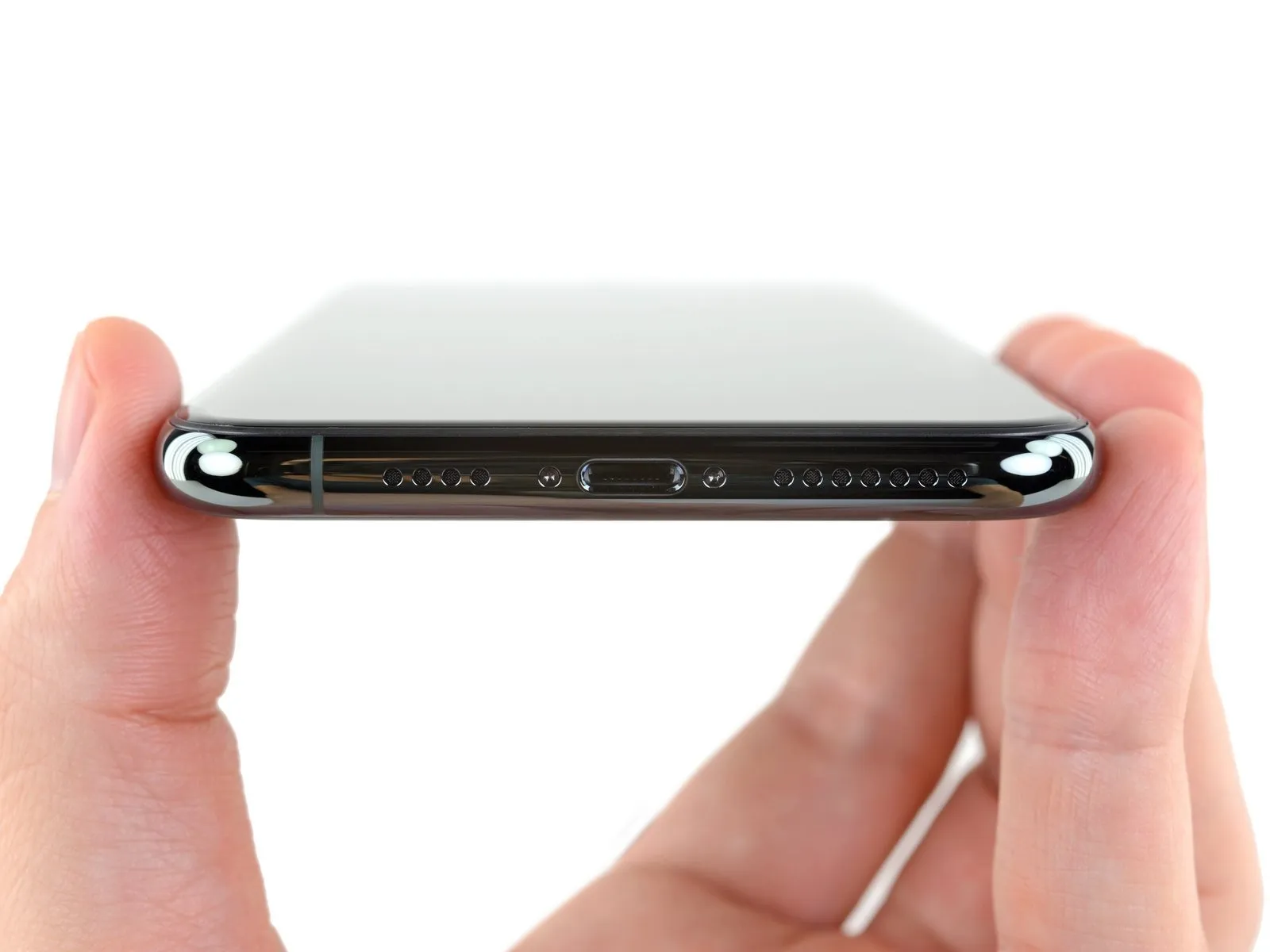
Prior to commencing the repair process, ensure you take the following preparatory steps.
- To mitigate potential hazards, allow the iPhone's internal power source to deplete to a level below 25% capacity.A fully charged lithium-ion battery presents a fire or explosion risk if it sustains accidental physical damage.Deactivate the iPhone's power supply by pressing the power button before commencing any disassembly procedures.
- Utilize a screwdriver to extract the pair of pentalobe screws, each measuring 6.7 mm in length, located along the iPhone's lower edge.
- Separating the display assembly from the chassis will irreversibly damage the iPhone's water resistance capabilities.
- To maintain the device's original water resistance, either procure replacement sealing components beforehand or exercise extreme caution to prevent moisture ingress during reassembly if the seals are not replaced.