iPhone 11 Pro Max Loudspeaker Replacement
Employ this document as a resource for the disassembly and subsequent substitution of the loudspeaker within an iPhone 11 Pro Max. The loudspeaker functions as the audio output device situated on the lower portion of an iPhone.
Step 1 | Remove the pentalobe screws

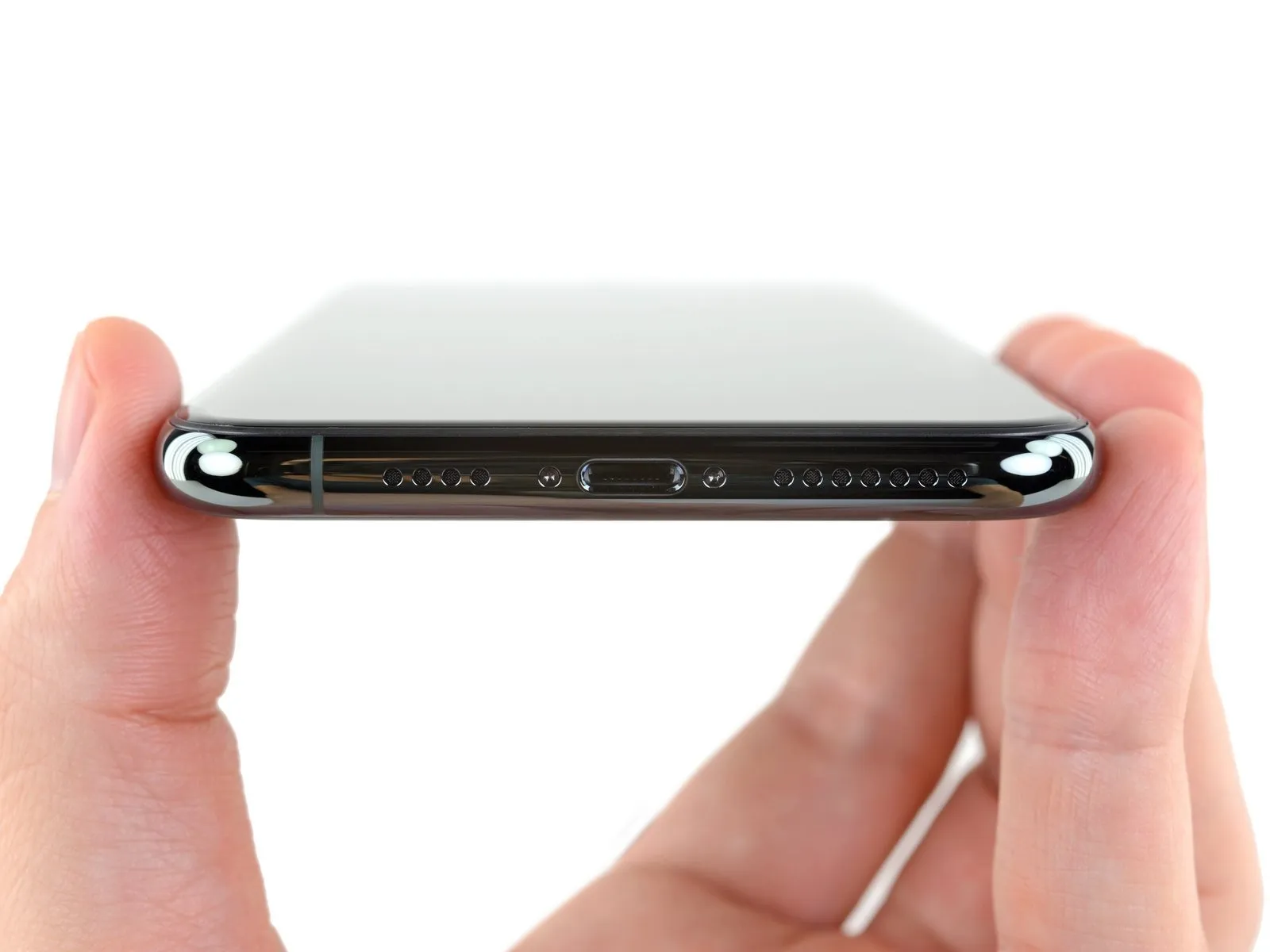
- As a preliminary precaution, ensure your iPhone's battery is depleted to a level below 25% prior to commencing the repair process.A fully charged lithium-ion batteryposes a significant fire hazard and potential for explosion if it sustains accidental damage, such as a puncture.
- Deactivate your iPhone by powering it down completely before you start disassembling it.
- Utilize a screwdriver to extract the pair of pentalobe screws, each measuring 6.7 mm in length, located along the iPhone's lower edge.
- Separating the iPhone's display assembly will irreversibly damage the integrated waterproof seals; therefore, obtain replacement seals beforehand to prevent liquid ingress, or exercise extreme caution to prevent moisture exposure during reassembly if you choose not to replace the seals.
Step 2 | Mark your opening picks


- To avoid potential harm to your device, ensure the opening pick does not extend beyond a safe depth; this procedure details how to identify a safe insertion point by marking the pick.
- Determine the measurement of3 mmfrom the pick's leading edge, then use a permanent marker to create a visible indicator on the opening pick.
- For additional reference, consider marking the remaining corners of the pick with varying distances.
- As another option, affix a coin to the pick's shaft,3 mmaway from its tip.
Step 3 | Tape over any cracks


- To minimize additional damage and potential injury while repairing a fractured iPhone display, secure the glass fragments with adhesive tape.
- Apply multiple layers of transparent packing tape across the iPhone's screen surface, ensuring complete coverage of the entire front face.
- Always utilize protective eyewear to guard against glass shards that may become dislodged during the repair process.
- Should the suction cup fail to maintain adhesion during subsequent procedures, create a handle by folding a robust tape, like duct tape, and employ it to elevate the screen.
- As a last resort, secure the suction cup directly to the screen's surface using superglue.
Step 4 | Anti-Clamp instructions


- The following three procedures illustrate the function of the Anti-Clamp, a specialized tool developed to simplify the initial opening process; should you choose not to utilize this tool, proceed past these three steps to an alternative approach.
- Detailed instructions regarding the Anti-Clamp's operation can be found in a separate, dedicated guide.
- Grasp theblue handleand move it in a rearward direction to disengage the Anti-Clamp's securing arms.
- Carefully position the arms across either the left or right side of your iPhone.
- Place the suction cups close to the lower edge of the iPhone, ensuring one is situated on the front surface and the other on the rear.
- Apply pressure by compressing the cups together to establish a secure suction hold on the intended area.
- Should the iPhone's surface prove excessively slick, preventing adequate adhesion by the Anti-Clamp, applying adhesive tape can provide a more textured interface for improved grip.
Step 5


- To engage the locking mechanism, draw theblue handlein a forward direction.
- Rotate thehandlethrough a complete 360-degree rotation, or continue until you observe the suction cups beginning to deform.
- Maintain proper alignment of the suction cups with one another; should misalignment occur, slightly release the suction cups and readjust the arms.
Step 6


- Employing warmth with a iOpeneris recommended; alternatively, a hair dryer, heat gun, or hot plate can be utilized, though caution is paramount as excessive temperatures may compromise the display or internal battery.
- Position the iOpenerin a folded manner, ensuring it rests along the lower edge of the iPhone’s frame.
Allow a sixty-second interval to permit the adhesive to soften and create a separation. - Carefully introduce an opening tool into the space formed beneath the display and the surrounding plastic trim, avoiding direct contact with the screen’s surface.
- Should the Anti-Clamp not generate an adequate separation, increase the heat applied to the region and rotate the handle by ninety degrees.
Incremental rotations, limited to ninety-degree increments, are advised, with a sixty-second pause between each adjustment; rely on the Anti-Clamp’s pressure and time to facilitate the process. - Proceed to bypass the following three procedures.
Step 7 | Heat the lower edge of the phone

Applying warmth to the iPhone's bottom edge facilitates the loosening of the adhesive that holds the display in place, simplifying the opening process.
Employing a hairdryer, heat gun, or utilizing an iOpeneris recommended; direct it towards the lower edge of the iPhone for approximately one minute to reduce the adhesive's tackiness.
Step 8

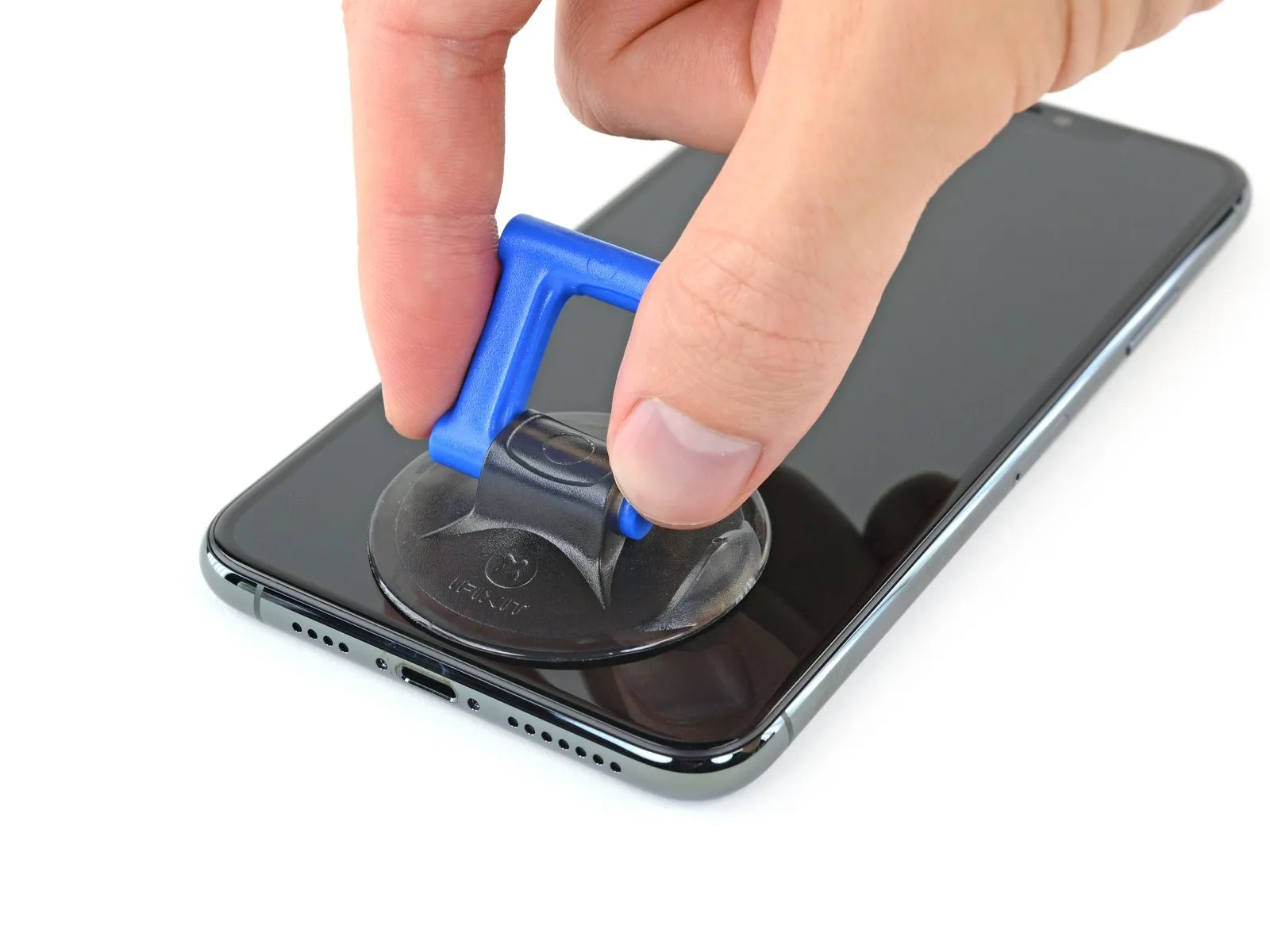
When employing a solitary suction handle, position it against the lower boundary of the device, ensuring you circumvent the rounded glass section.
Step 9 | Lift the display slightly

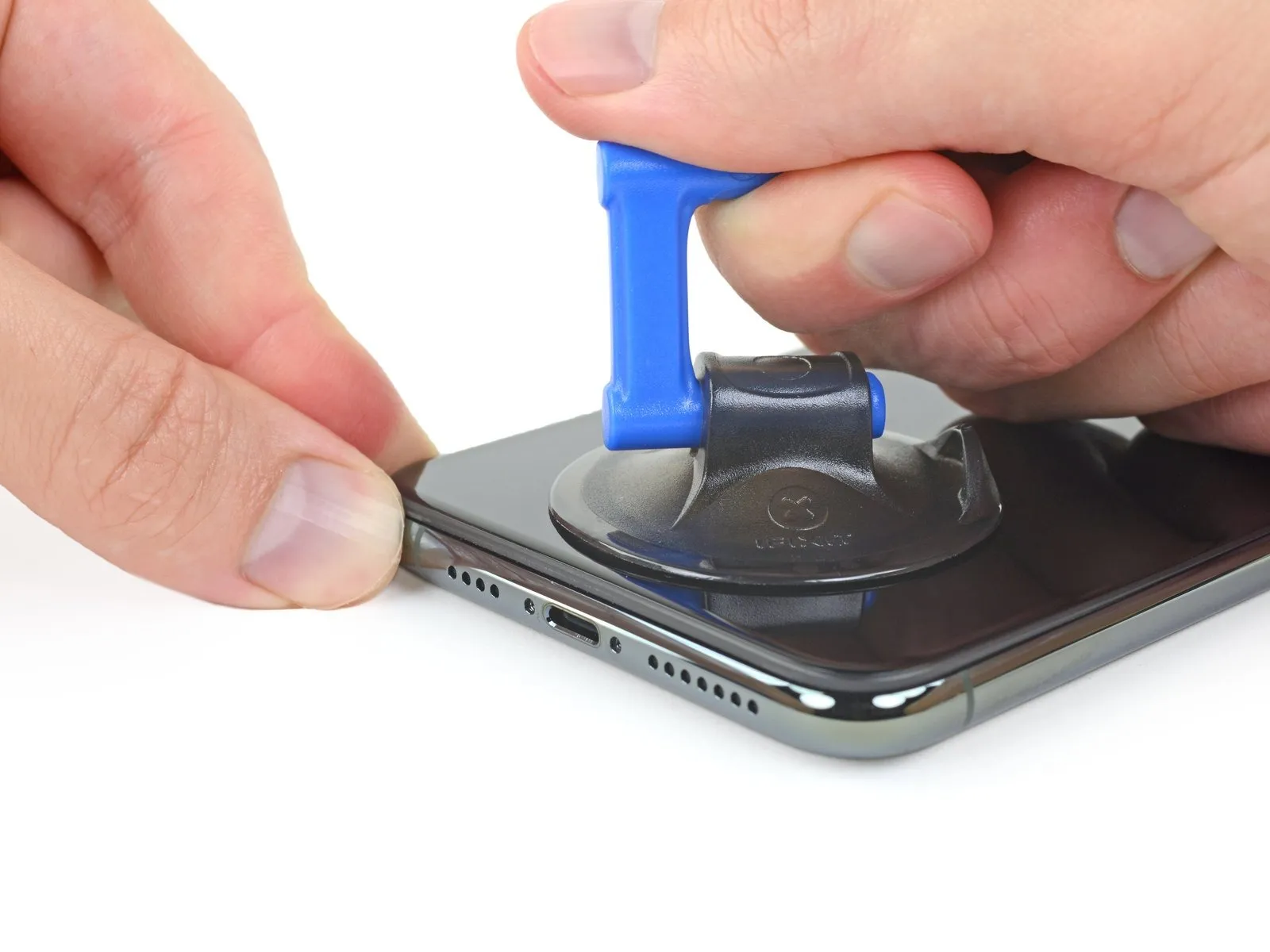
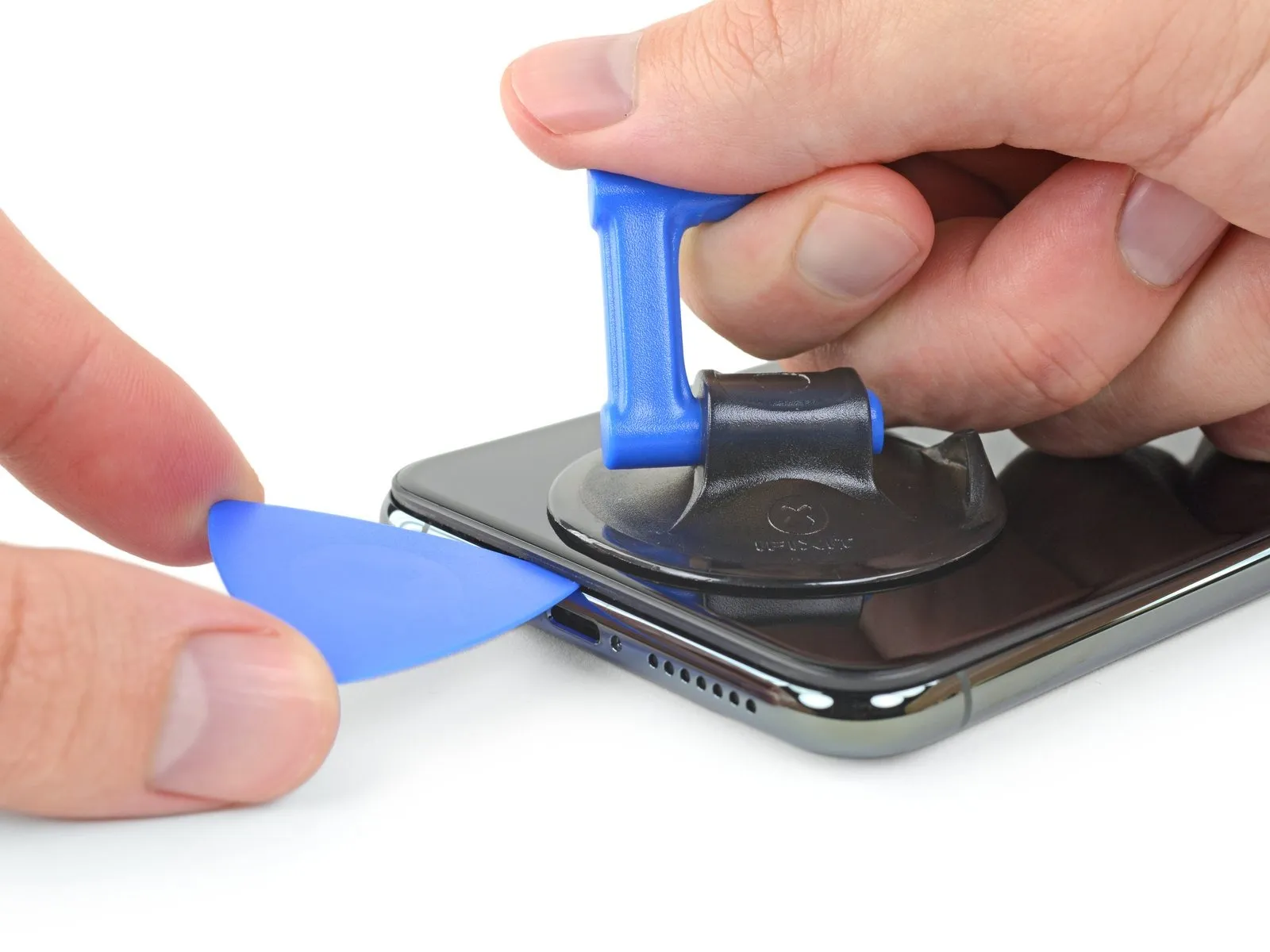
Apply steady, consistent upward force to the suction cup to generate a small separation between the device's front panel and its rear enclosure.
- Carefully slide an opening tool into the newly formed space.
Step 10 | Separate the screen adhesive


- Using a separation tool, carefully maneuver it along the bottom-left perimeter of the iPhone and upward along the left side, severing the adhesive that secures the display assembly.
Ensure the separation tool does not penetrate beyond a depth of 3 millimeters to prevent potential harm to delicate internal components.
Step 11 | Screen information

A fragile cable runs along the right side of your iPhone; avoid inserting your pick in this location to prevent potential cable damage.
Step 12


To proceed with separating the adhesive, re-position your opening pick along the lower edge of the iPhone's casing, then advance it upwards along the right side.
Exercise caution and limit pick insertion to a depth of 3 millimeters to prevent potential harm to the delicate display cable connections.
Step 13
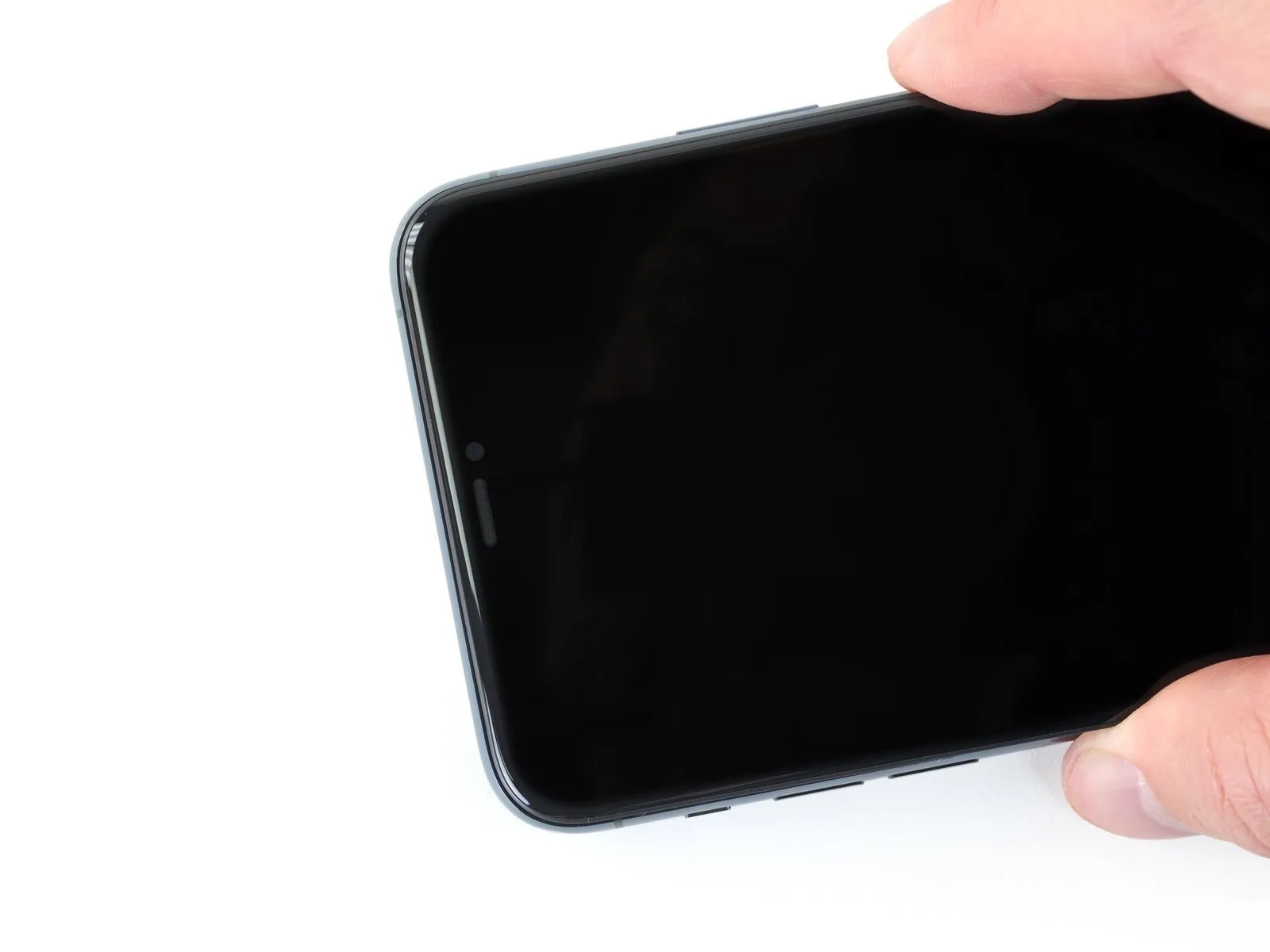
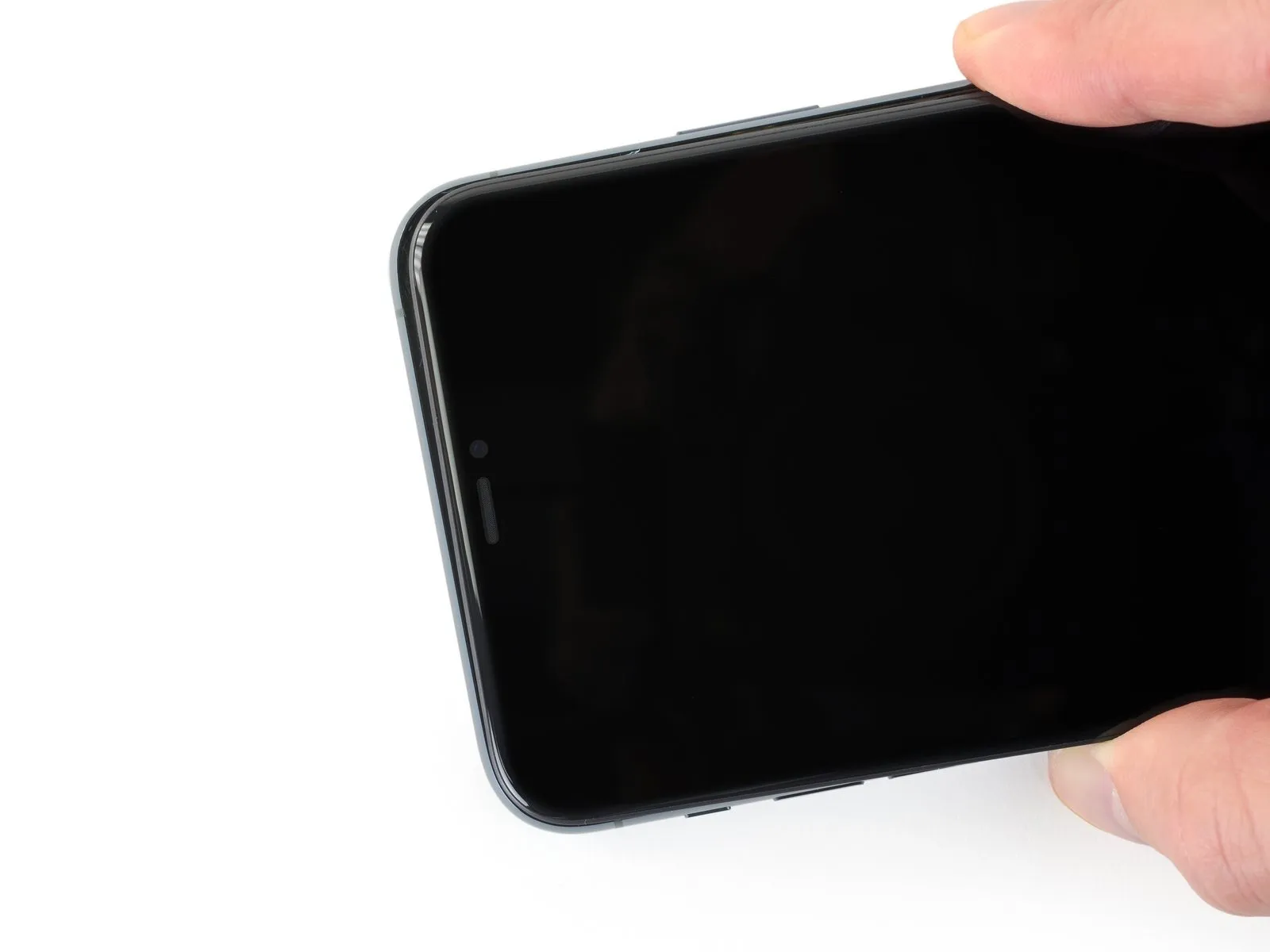
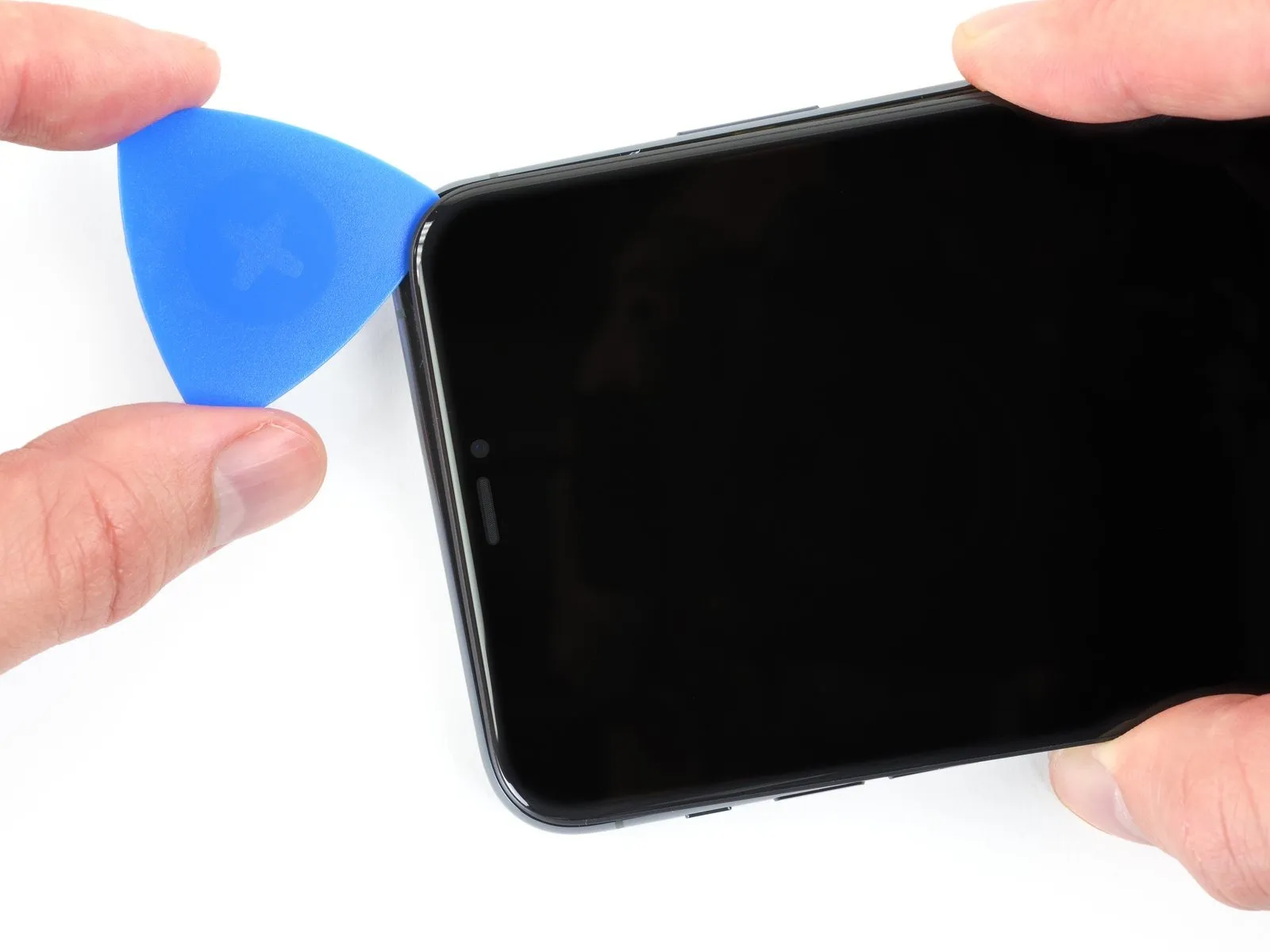
- Adhesive and retaining clips together fasten the display's uppermost border.
Carefully exert a slight downward force on the display's right side, moving it toward the Lightning port. - Position a specialized opening tool within the upper-right corner of the device's enclosure.
Step 14


- As necessary, maintain downward pressure on the display, directing it towards the Lightning connector to create a sufficient separation for tool insertion.
Position the pick at the upper left corner and sever any residual adhesive bonds holding the display in place.
Ensure the pick's insertion depth remains below 3 millimeters to prevent potential harm to the front panel sensor array.
Step 15 | Remove the suction cup

- To detach the suction cup from the front panel, grasp and exert force on the small projection located on its surface.
Step 16 | Open the iPhone


- To access the internal components, initiate the display opening process by pivoting the screen upwards from the left edge, mimicking the action of opening a book's cover.
Refrain from completely detaching the display assembly at this stage, because multiple delicate ribbon cables remain connected to the iPhone's main circuit board.
Secure the lifted display in an upright position using a support to prevent it from obstructing your work area.
When reassembling the device, position the display, ensure proper alignment of the retaining clips on the upper edge, and gently apply pressure to the top edge to secure it before fully engaging the remaining portion of the display. Should the display not seat easily, inspect the clips surrounding the display's perimeter to verify they are free from any deformation.
Step 17 | Unscrew the battery connector cover


- Detach the battery cover bracket using two Y000 screws, each measuring 1.3 mm in length.1.3 mmLong Y000 screws
Carefully organize and document the location of every screw during disassembly, ensuring correct placement during reassembly to prevent potential damage to your iPhone.
As part of the reassembly process, it is advisable to activate your iPhone and verify all operational features prior to permanently securing the display; subsequently, ensure the device is fully powered off to proceed with the repair.
Step 18 | Remove the battery connector cover

- Detach the bracket from its affixed location.
Step 19 | Disconnect the battery


- Employ a spudger tool or a meticulously clean fingernail to lift the battery connector away from its corresponding receptacle on the logic board.
Exercise caution to avoid harming the black silicone seals that encircle this connector and others on the board, as they offer supplemental defense against water and dust penetration.
Slightly deflect the connector outward from the logic board's surface to ensure it remains disconnected from the socket, thus preventing unintended power delivery to the device during the repair process.
Step 20 | Unscrew the logic board cover screws


- Employ a Y000 driver to detach the six screws that hold the logic board cover bracket in place.The screws have a head size of 1.3 mm.These fasteners secure the bracket, which covers the logic board.
Step 21 | Remove the logic board cover bracket

Step 22 | Disconnect the OLED display cable

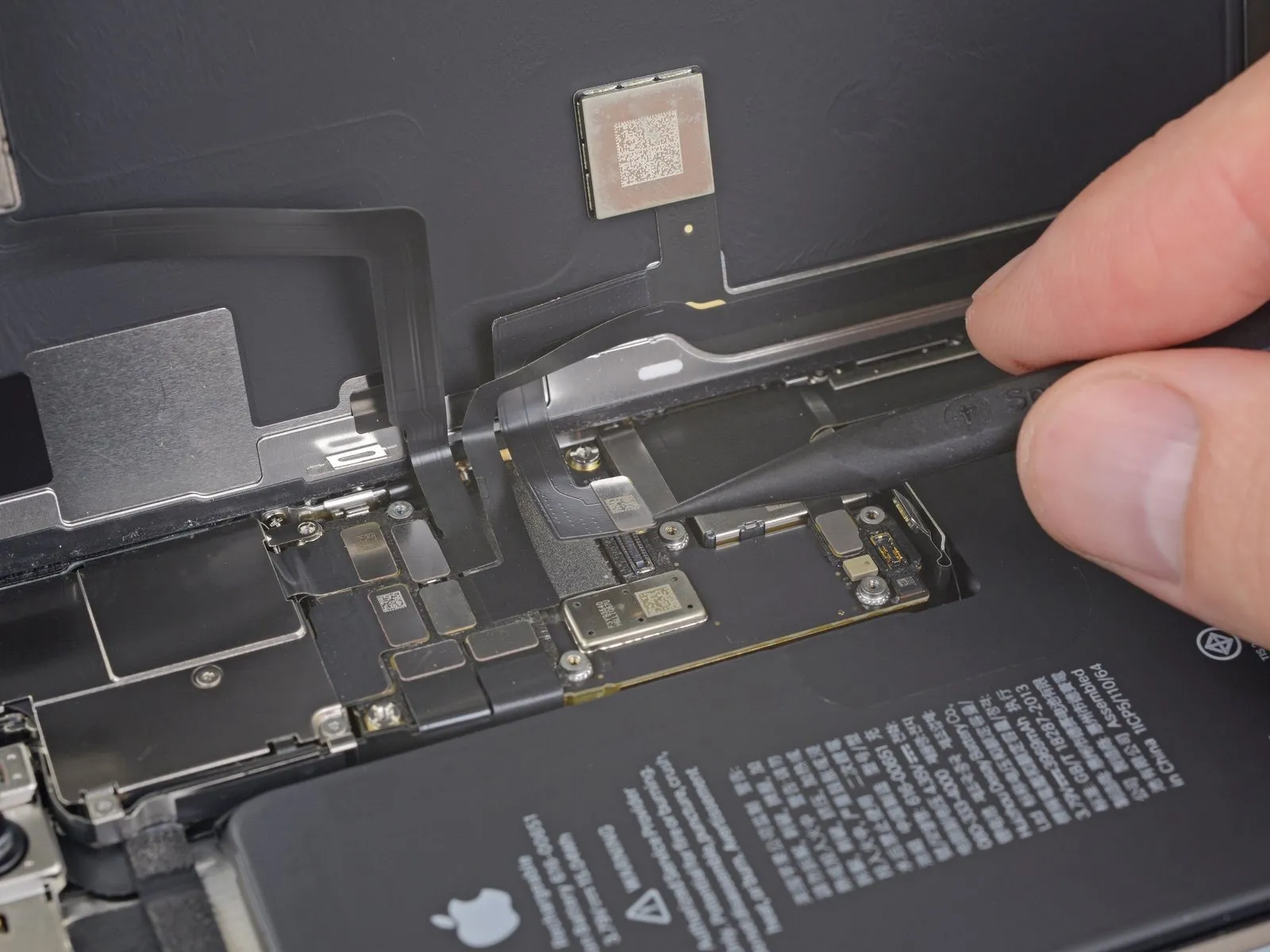
- Employ a spudger or a fingernail for separating the OLED panel cable connector.
- To secure the connection again, position the connectors precisely and apply pressure to one edge until a distinct click is heard, subsequently repeating the process on the opposing edge; avoid applying pressure to the central portion. Improper alignment risks bending the pins, which could result in irreversible damage.
Step 23 | Disconnect the front sensors + digitizer


- Employ aspudgeror afingernailfor separating the front sensor assembly cable connector.
- Utilize aspudgeror afingernailto release the digitizer cable connector.
- Should any area of the screen fail to register touch input following the repair procedure, remove the battery and then reconnect this connector, ensuring a secure, audible click and verifying the absence of dust or foreign material within the socket.
Step 24 | Remove the display assembly

- Detach the display unit from the device.
- When putting the device back together, halt at this point should you decide to substitute the waterproof sealant that borders the display's perimeter.
Step 25 | Unscrew the lower battery connector cover


Employ a Y000 driver to detach the quartet of1.2 mm screwsthat hold the lower battery connector cover in place.
Step 26 | Remove the cover

Detachthe protective enclosure securing the lower battery connector.
Step 27 | Disconnect the lower battery connector


Employ a spudger to release the lower battery flex cable, achieving disconnection by applying upward force directly to the connector. a spudgerTo detach the lower battery flex cable, utilize a spudger and carefully lift it vertically from its associated connector.
Step 28 | Unscrew the loudspeaker


- EmployaPhillips 000 screwdriverfor the purpose of dislodging the2.8 mm screw.
- EmployaPhillips 000 screwdriverto detach the1.4 mm screw.
- Employastandoff screwdriverto extract the3.8 mm screw.
Step 29 | Disconnect the loudspeaker


Step 30 | Heat the speaker gasket

Step 31 | Remove the loudspeaker


- Elevate the speaker sufficiently to allow for battery removal.
- Employ a rocking motion, alternating between sides, before disengaging the speaker from the chassis by exerting force on a single edge.
Step 32
