How to enable charging past 90%
Under normal conditions, the iPhone's charge level will usually reach 90% when using the Apple MagSafe Battery Pack; however, enabling Low Power Mode from the Control Center allows the charging process to continue beyond this point.
Step 1 | Attach the Battery Pack to the iPhone
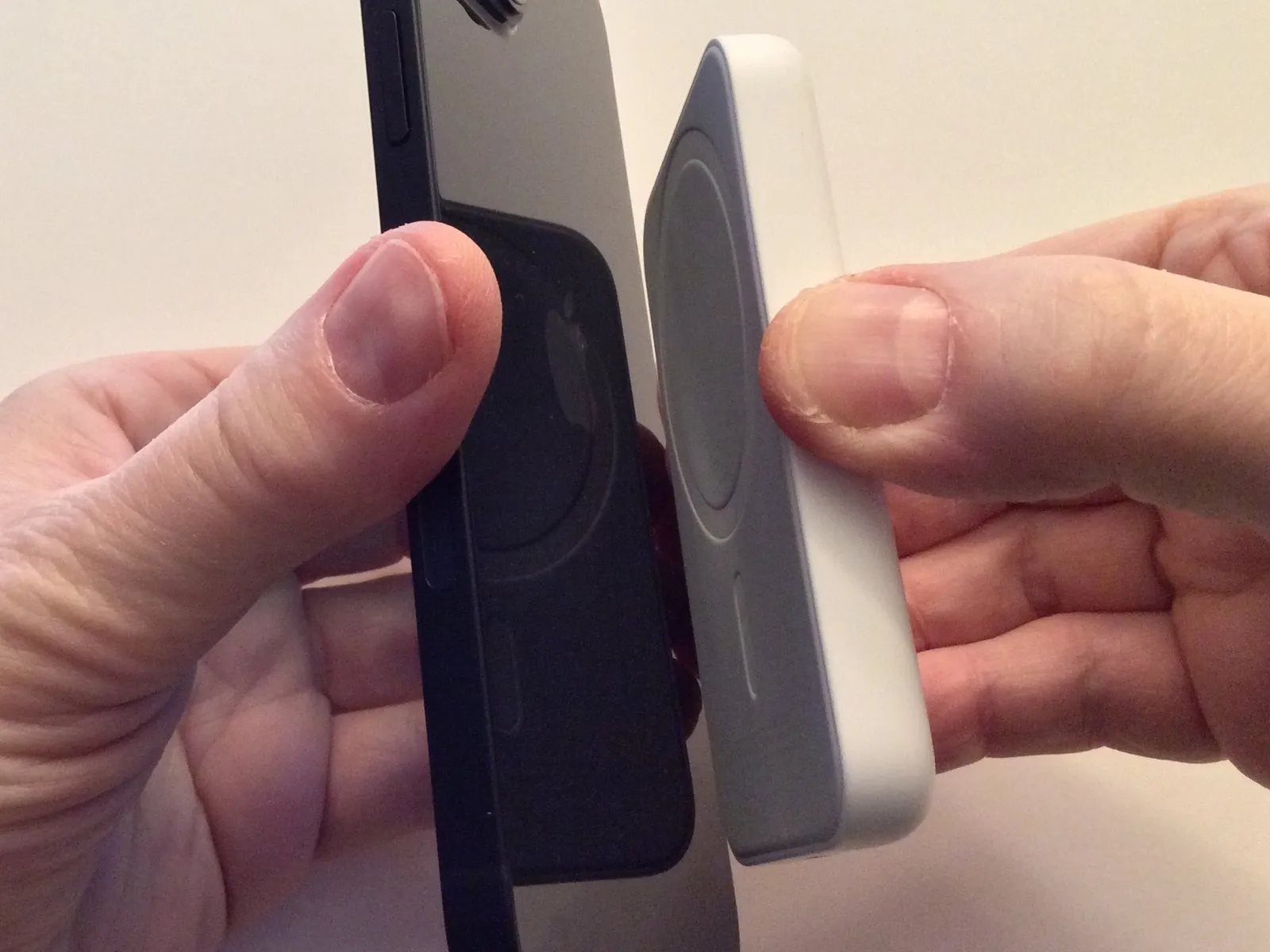
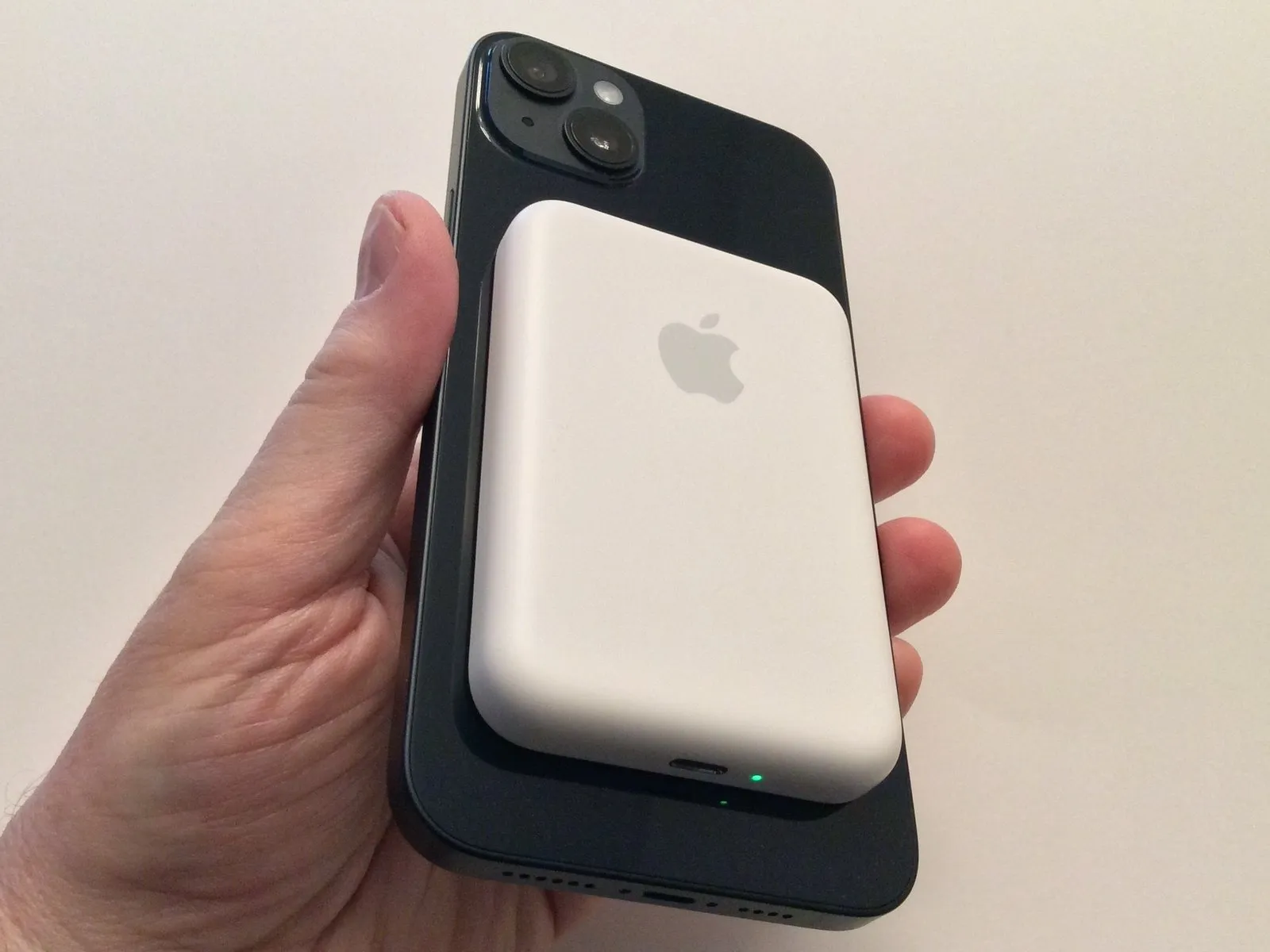
Align the magnetic contacts of the MagSafe Battery Pack with the corresponding MagSafe charging area on the iPhone's rear surface and secure it in place.
Align the Apple logo on the MagSafe Battery Pack with the Apple logo on your phone to aid in placement.
The Battery Pack's charge level determines the LED indicator's color; it will display green or amber.
Align the Apple logo on the MagSafe Battery Pack with the Apple logo on your phone to aid in placement.
The Battery Pack's charge level determines the LED indicator's color; it will display green or amber.
Step 2 | Indications of the Battery Pack


A notification will display on the screen confirming the Battery Pack is detected, and this notification will contain the following information.
Observe the battery indicator and accompanying percentage value to determine the remaining power in the iPhone.
Observe the Battery Pack's indicator icon to determine its current state of charge.
A charging indicator will appear, confirming the device is receiving power.
The Battery Pack's charge status is displayed on the home screen via Battery widgets, which also show whether the pack is currently receiving power through a cable or via reverse charging.
Observe the battery indicator and accompanying percentage value to determine the remaining power in the iPhone.
Observe the Battery Pack's indicator icon to determine its current state of charge.
A charging indicator will appear, confirming the device is receiving power.
The Battery Pack's charge status is displayed on the home screen via Battery widgets, which also show whether the pack is currently receiving power through a cable or via reverse charging.
Step 3 | Add Low Power Mode to Control Center
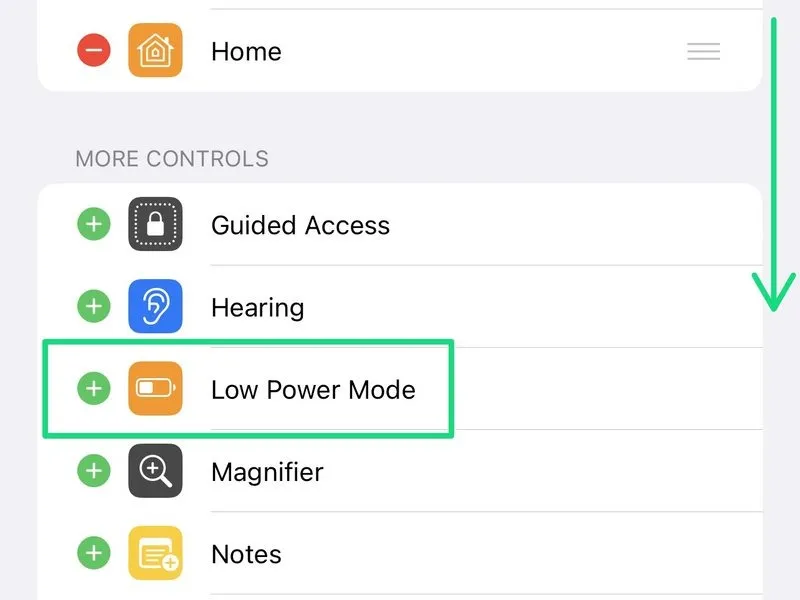

Verify Control Center includes the Low Power Mode setting.
To enable Low Power Mode, navigate to Settings, then Control Center. If you don't see it among the listed controls, expand the "More Controls" section and tap the plus icon to incorporate it.
Confirm the option's presence within the "Included Controls" section, then close the Settings menu.
Refer to the Apple Knowledge Base article for detailed instructions on customizing the Control Center.
To enable Low Power Mode, navigate to Settings, then Control Center. If you don't see it among the listed controls, expand the "More Controls" section and tap the plus icon to incorporate it.
Confirm the option's presence within the "Included Controls" section, then close the Settings menu.
Refer to the Apple Knowledge Base article for detailed instructions on customizing the Control Center.
Step 4 | Enable 100% charging in the Low Power Mode control


To access iOS Control Center on your iPhone, use the appropriate gesture for your device model and iOS version—typically, a downward swipe originating from the upper-right corner of the screen.
Press the Low Power Mode button to activate its function.
With the MagSafe Battery Pack connected, activate the newly introduced setting that allows charging beyond a 90% battery level.
To close the popup notification, briefly touch the display surface, and subsequently close the Control Center.
Refer to the Apple Knowledge Base article for detailed explanations regarding Low Power Mode functionality.
Press the Low Power Mode button to activate its function.
With the MagSafe Battery Pack connected, activate the newly introduced setting that allows charging beyond a 90% battery level.
To close the popup notification, briefly touch the display surface, and subsequently close the Control Center.
Refer to the Apple Knowledge Base article for detailed explanations regarding Low Power Mode functionality.